Aller au contenu
CompLeadly
CompLeadly
DEENESITPT

Cette page n'est pas encore disponible en anglais

ConnexionEssaie gratuitement pendant 10 jours

Général

La pièce jointe n’est pas envoyée

Auteur: CompLeadly TeamDernière mise à jour le 1 min de lecture


Procède comme suit :

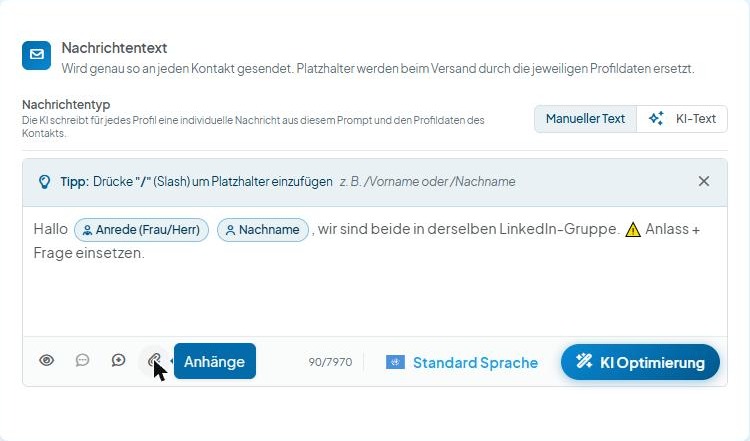
  1. Ouvre la fonction de pièce jointe via l’icône trombone dans la barre sous le champ de texte
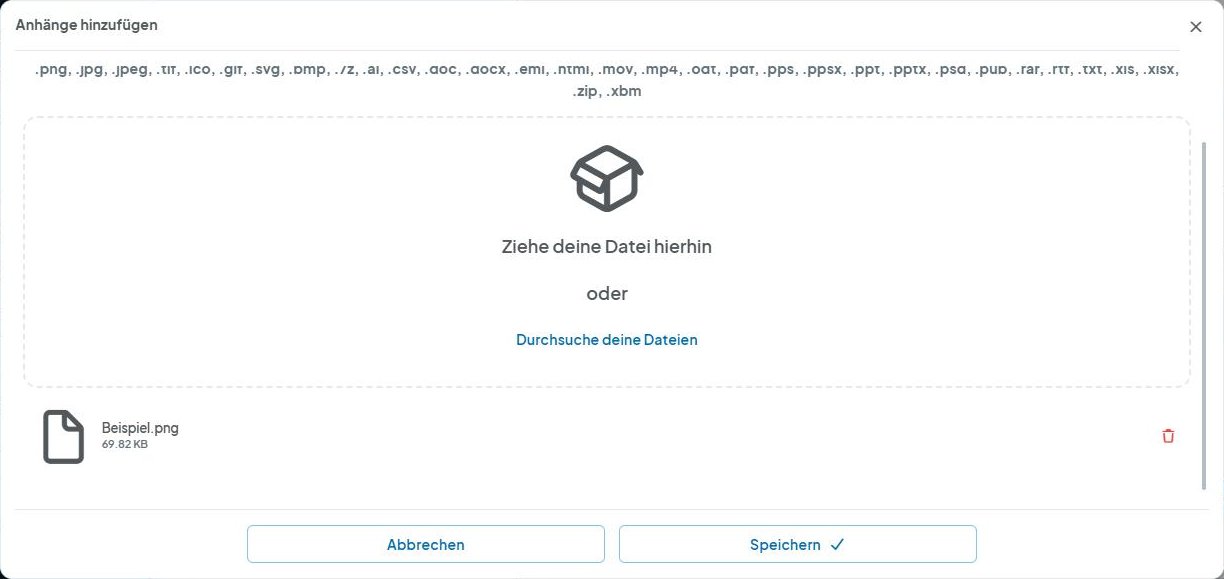
  2. Supprime tes pièces jointes
  3. Clique sur Enregistrer
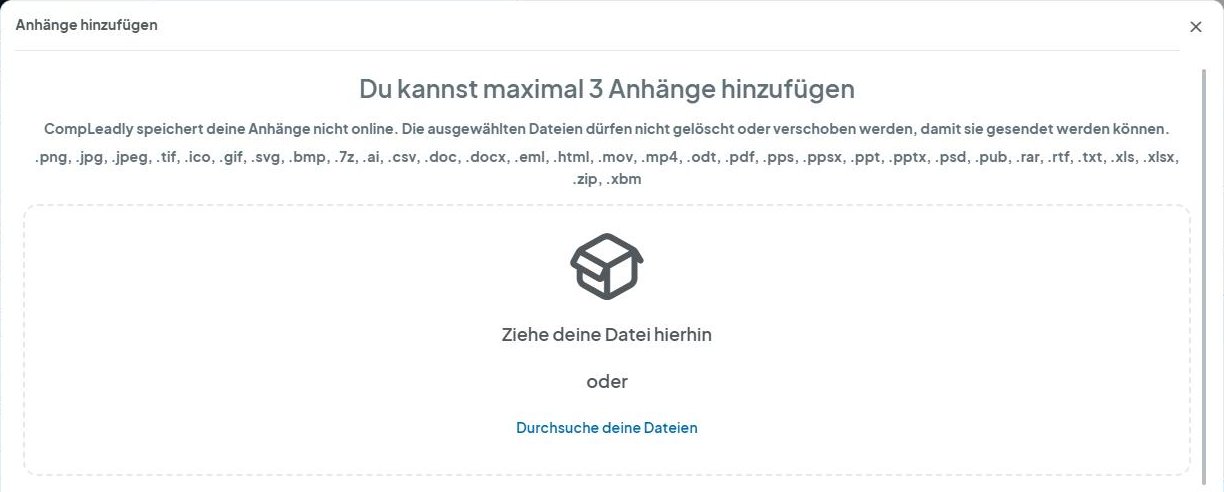
  4. Ouvre la fonction de pièce jointe
  5. Ajoute à nouveau la pièce jointe
  6. Clique sur Enregistrer
  7. Réessaie
CompLeadly Oberfläche: Nachrichtentext mit Symbol Anhänge (Version 5.1.24)
La pièce jointe n’est pas envoyée
CompLeadly Oberfläche: Anhänge hinzufügen mit hinzugefügter Datei und Papierkorb-Symbol (Version 5.1.24)
La pièce jointe n’est pas envoyée
CompLeadly Oberfläche: Anhänge hinzufügen – Schaltflächen Abbrechen und Speichern (Version 5.1.24)
La pièce jointe n’est pas envoyée
CompLeadly Oberfläche: Nachrichtentext mit Symbol Anhänge (Version 5.1.24)
La pièce jointe n’est pas envoyée
CompLeadly Oberfläche: Anhänge hinzufügen – Durchsuche deine Dateien (Version 5.1.24)
La pièce jointe n’est pas envoyée
CompLeadly Oberfläche: Anhänge hinzufügen – Schaltflächen Abbrechen und Speichern (Version 5.1.24)
La pièce jointe n’est pas envoyée

Cet article t'a-t-il été utile ?

Ta question reste sans réponse ? Prendre contact

Ta question n'a pas trouvé de réponse ?

Notre équipe support t'aide personnellement.

Prendre contact