Pular para o conteúdo
CompLeadly
CompLeadly
DEENFRESIT

Esta página ainda não está disponível em inglês

LoginTeste grátis por 10 dias

Geral

O anexo não está sendo enviado

Autor: CompLeadly TeamAtualizado pela última vez em 1 min. de leitura


Siga estas etapas:

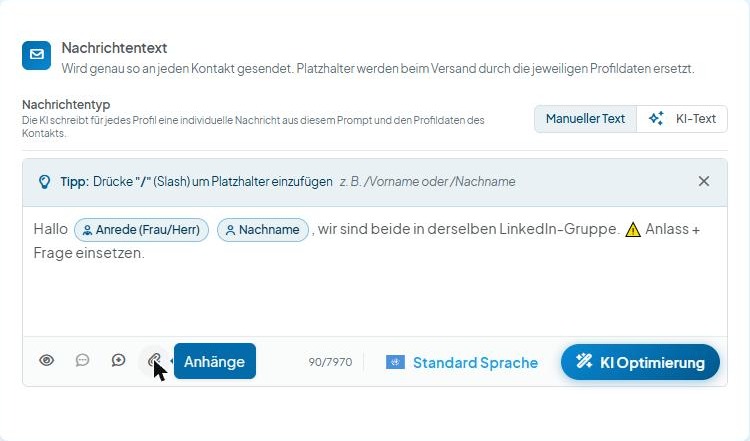
  1. Abra a função de anexos pelo ícone de clipe na barra abaixo do campo de texto
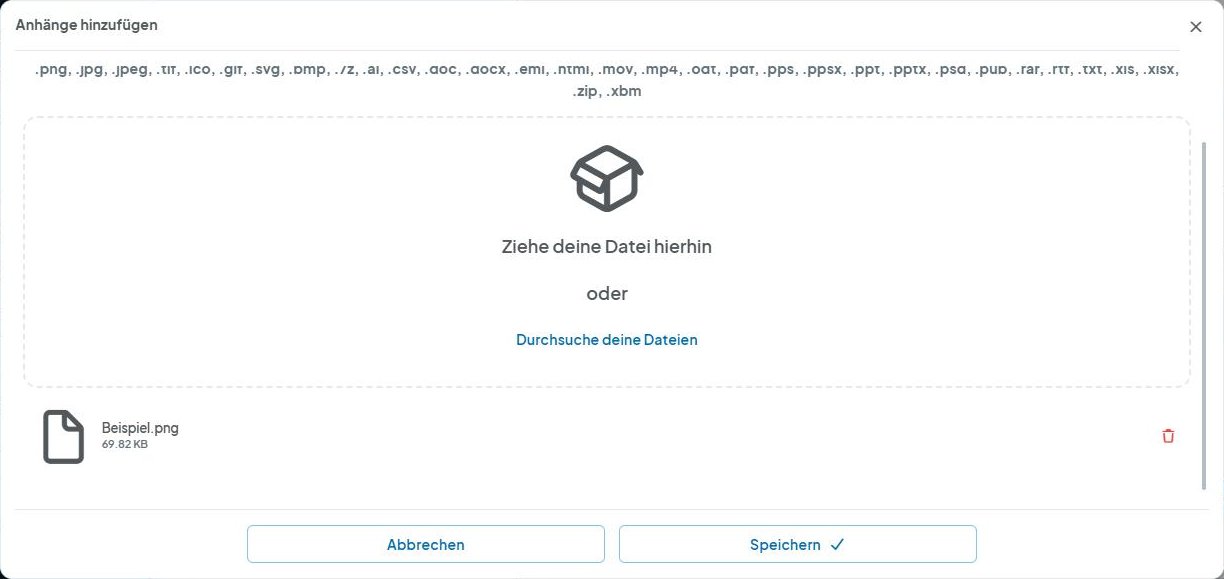
  2. Exclua seus anexos
  3. Clique em Salvar
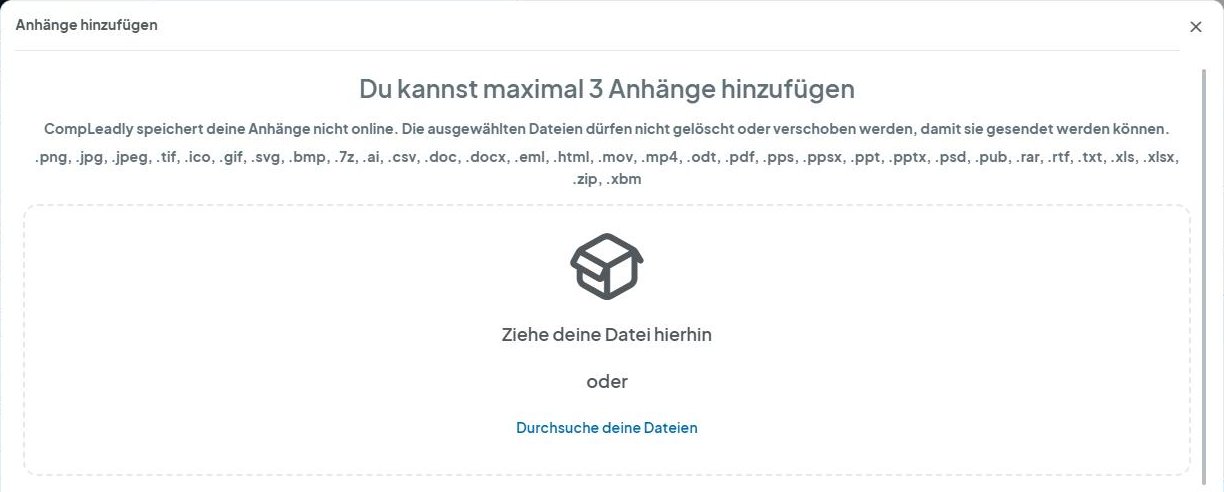
  4. Abra a função de anexos
  5. Adicione o anexo novamente
  6. Clique em Salvar
  7. Tente novamente
CompLeadly Oberfläche: Nachrichtentext mit Symbol Anhänge (Version 5.1.24)
O anexo não está sendo enviado
CompLeadly Oberfläche: Anhänge hinzufügen mit hinzugefügter Datei und Papierkorb-Symbol (Version 5.1.24)
O anexo não está sendo enviado
CompLeadly Oberfläche: Anhänge hinzufügen – Schaltflächen Abbrechen und Speichern (Version 5.1.24)
O anexo não está sendo enviado
CompLeadly Oberfläche: Nachrichtentext mit Symbol Anhänge (Version 5.1.24)
O anexo não está sendo enviado
CompLeadly Oberfläche: Anhänge hinzufügen – Durchsuche deine Dateien (Version 5.1.24)
O anexo não está sendo enviado
CompLeadly Oberfläche: Anhänge hinzufügen – Schaltflächen Abbrechen und Speichern (Version 5.1.24)
O anexo não está sendo enviado

Este artigo foi útil?

Sua pergunta não foi respondida? Entrar em contato

Não encontrou sua resposta?

Nossa equipe de suporte ajuda você pessoalmente.

Entrar em contato