Yes, there is a simple trick to get these people into a target audience that CompLeadly can work with.
1) Go to your event and click Member view
If it does not look like this for you, go to Step 2.

2) Next, open the attendee list.
If this is someone else's event, you first need to join the event yourself.

A LinkedIn search with the event attendees will now open, which you can use as a target audience in CompLeadly as usual.
3) Copy the link from your browser's address bar and add it to CompLeadly as a target audience
In CompLeadly, go to Target Audiences → Add Target Audience → Paste a link, paste the link and click Save target audience.
4) Use the target audience in your workflow
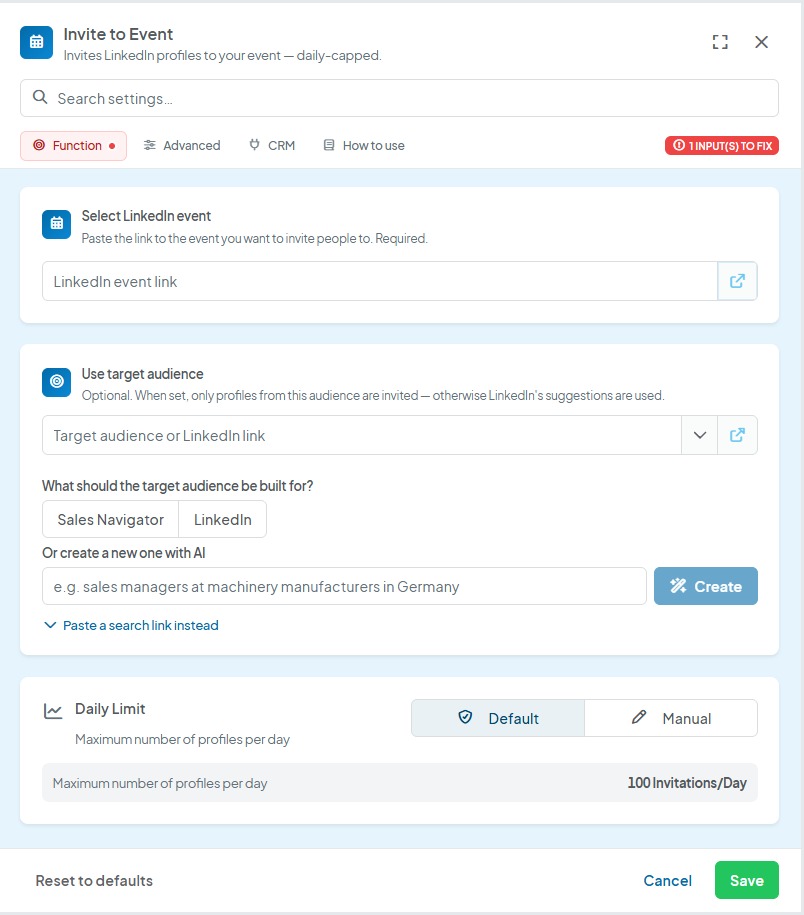
Select the target audience in the feature you want in the Target audience or LinkedIn link field. You can also paste the link there directly.
Here is an example workflow with event invitations followed by messages to the attendees:
- Workflow, step 1: Invite to Event
- Workflow, step 2: Invite – with a target audience of event attendees you are not yet connected with
- Workflow, step 3: Auto Messages – with a target audience of event attendees you are already connected with
This is what the settings of the Invite to Event feature look like: