Skip to content
CompLeadly
CompLeadly

Discounted Sales Navigator is up for renewal

NotesLast updated on 1 min read


Discounted Sales Navigator is up for renewal

Where can I find the amount that will be charged soon? Where can I add a new payment method?

New view in LinkedIn (Admin Center)

Change payment method

https://www.linkedin.com/manage/purchases-payments/payment-methods

Find next billing amount / cancel

https://www.linkedin.com/manage/purchases-payments


Old view (Directly in Sales Navigator)

https://www.linkedin.com/sales/settings


Here you can view the billing history and manage payment methods.
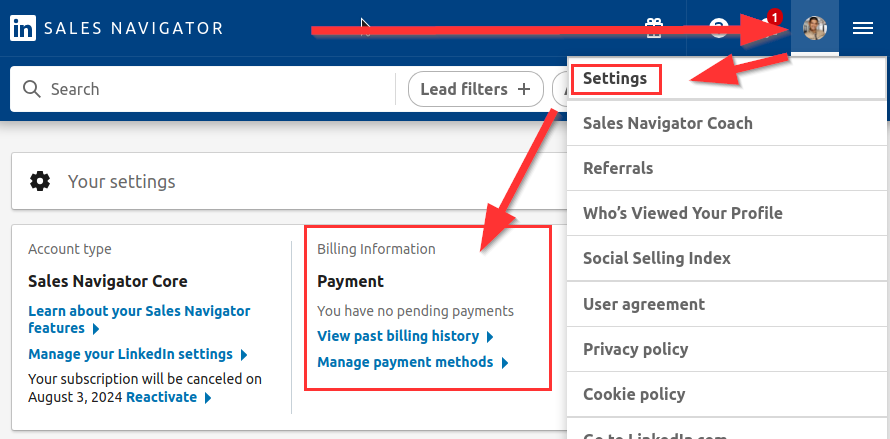
Discounted Sales Navigator is up for renewal

Was this article helpful?

0 found this article helpful

Didn't find your answer? Get in touch

Didn't find your answer?

Our support team is happy to help you personally.

Get in touch