Skip to content
CompLeadly
CompLeadly

The cloud server is no longer responding

Tips & TricksLast updated on 1 min read


The cloud server is no longer responding

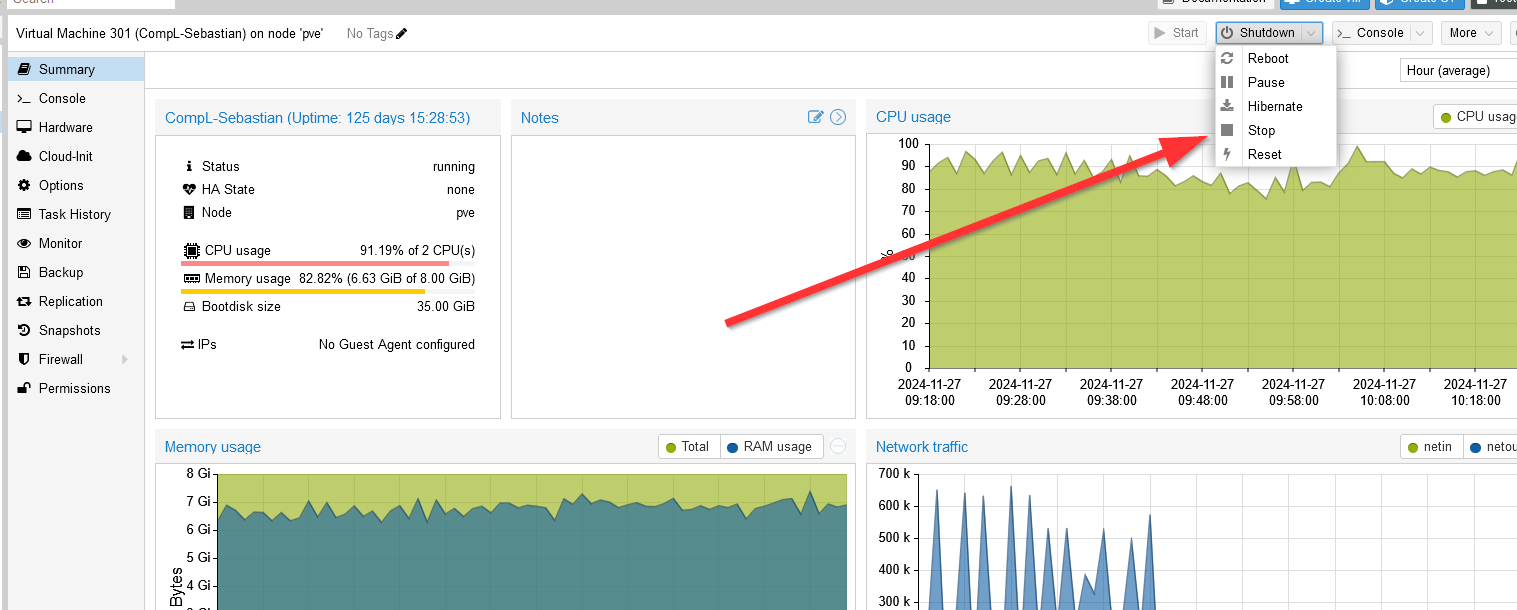
  1. Click on "Stop" in the top menu until the server shuts down.

  2. A popup will appear; confirm by selecting Yes.

  3. Steps 1 and 2 may need to be repeated multiple times.

  4. Click "Start" (several times, if necessary) until Linux Ubuntu starts.

  5. The login password for Linux Ubuntu is:
    admin"
The cloud server is no longer responding

Was this article helpful?

0 found this article helpful

Didn't find your answer? Get in touch

Didn't find your answer?

Our support team is happy to help you personally.

Get in touch