For example, the greeting says "Hello Ms S." instead of spelling out the full last name.
Sometimes, LinkedIn users adjust their settings so their full last name is not visible to people they are not yet connected with. This can result in the full last name not appearing in the greeting.
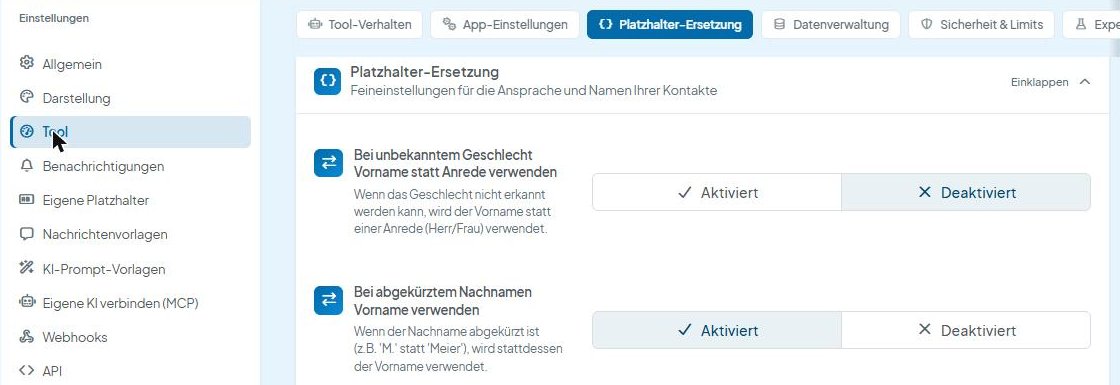
- Click Settings (Einstellungen) in the CompLeadly menu
- Select "Tool" on the left and open the "Platzhalter-Ersetzung" (placeholder replacement) tab at the top
- Set "Bei abgekürztem Nachnamen Vorname verwenden" (use first name if last name is abbreviated) to "Aktiviert" (enabled)