Skip to content
CompLeadly
CompLeadly

Frequently Asked Questions (FAQ)

Sending auto-messages and campaign messages in Sales Navigator

Author: CompLeadly TeamLast updated on 1 min read


1) Activate the expert mode in CompLeadly
2) The option "always send message in LinkedIn.com" appears in the auto-messages/campaign messages function when you use a Sales Navigator search. To send only in Sales Navigator you need to deactivate the checkbox.
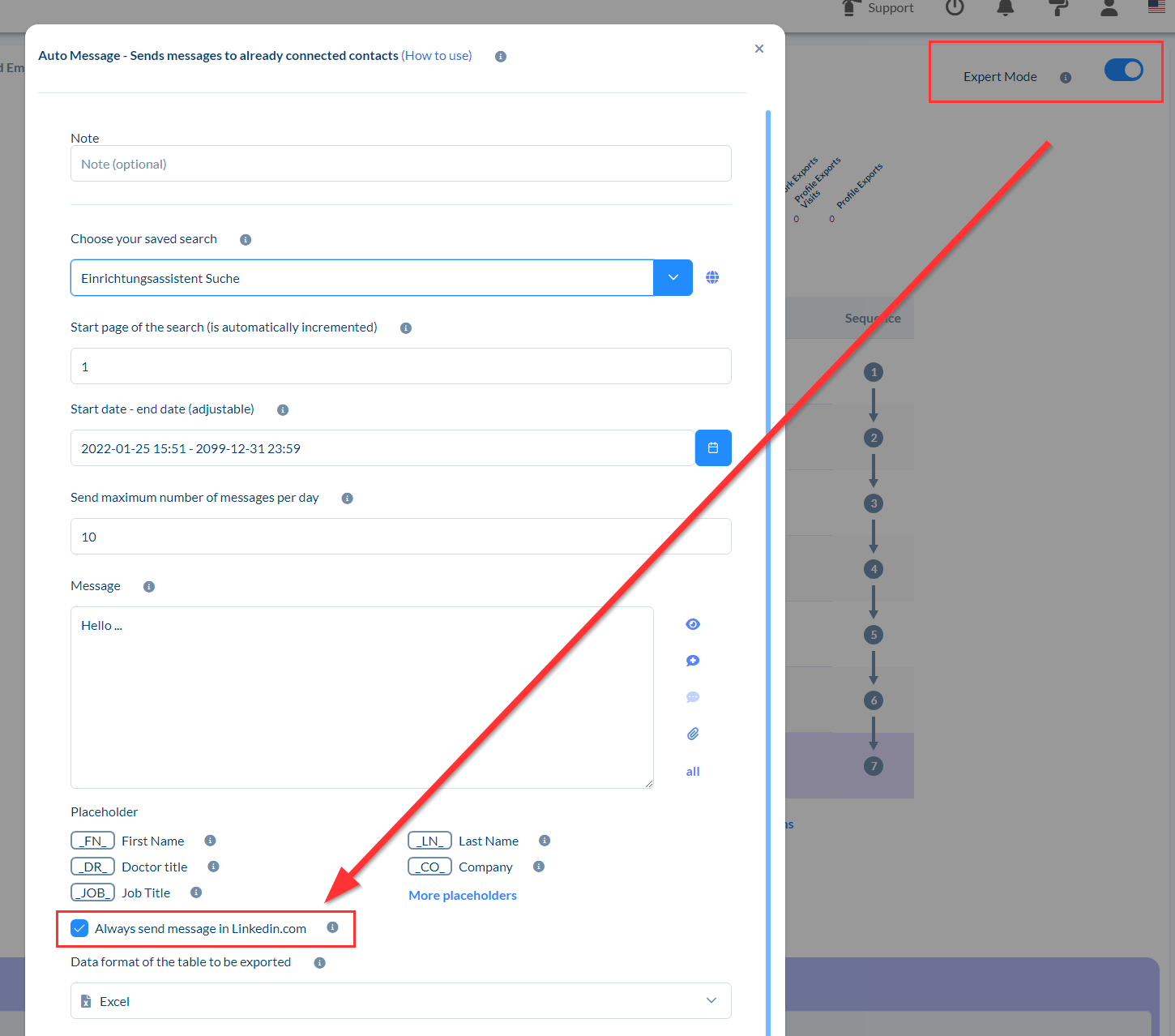
Sending auto-messages and campaign messages in Sales Navigator

Was this article helpful?

Didn't find your answer? Get in touch

Didn't find your answer?

Our support team is happy to help you personally.

Get in touch