You ordered your Sales Navigator licence through us and clicked the activation link – great, Sales Navigator is now unlocked. Only a few steps are left before you can use it and CompLeadly can detect it.
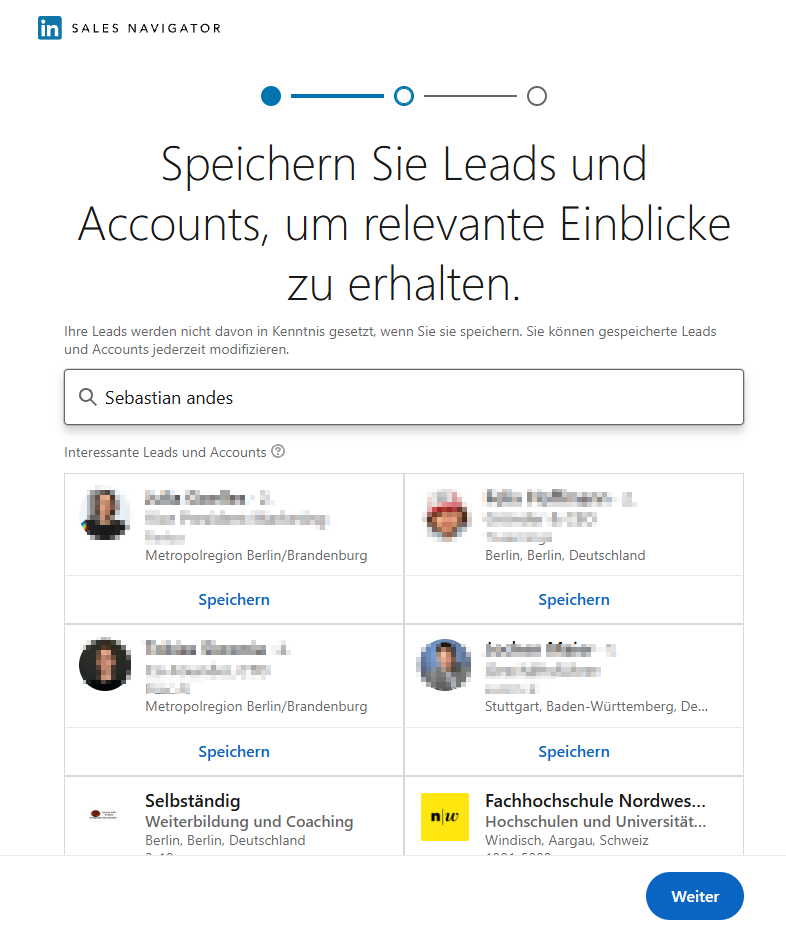
1. Open Sales Navigator once on your computer
LinkedIn only shows Sales Navigator once you have completed its short onboarding.
- Open LinkedIn on your computer (it does not work on a smartphone).
- In the top right of your LinkedIn profile, click “Sales Navigator” – or go straight to www.linkedin.com/sales/home.
- Work through LinkedIn’s short onboarding until Sales Navigator appears.
- Sales Navigator ordered through us only:
Because you were added to a Sales Navigator team, we recommend turning off the Sales Navigator team features so that nobody can see your activity and contacts. Here is how:
https://compleadly.com/knowledge/sales-navigator-licence-activated-what-you-need-to-know
2. CompLeadly detects Sales Navigator automatically
Once you have been active in Sales Navigator, CompLeadly detects it automatically on the next start. Your target audience searches then run as usual.
If you have not created any Sales Navigator target audiences yet, continue with step 3.
3. Define your target audience and get started
The most important next step is your target audience in Sales Navigator. CompLeadly uses that search to automate connecting and messaging. The step-by-step guide inside the tool shows you how to go about it.
Good to know
- Computer only: Sales Navigator can only be set up on a computer, not on a smartphone.
- Renewing the activation: LinkedIn resets the activation after 25 days. You then receive a new activation link from us, which you click again on your computer.
- Sales Navigator will not open? Restart your computer and try again. If it still does not work, just get in touch with us at support@compleadly.de
Prefer to set up your target audience together?
The quickest way to get set up is the beginner seminar: we set everything up with you live and answer your questions. You can book a slot at any time through support or your appointment confirmation.
Dates: Introductory seminar