Short answer:
After activating your Sales Navigator licence, go to the settings and turn off TeamLink and the option that lets your company see aggregated data about your LinkedIn activity. Then use Sales Navigator as usual to set up lead filters and lead lists.
Since you have been added to a team, we recommend disabling the Sales Navigator Teams features so that no one can see your activities and contacts.
Instructions from the video with images:
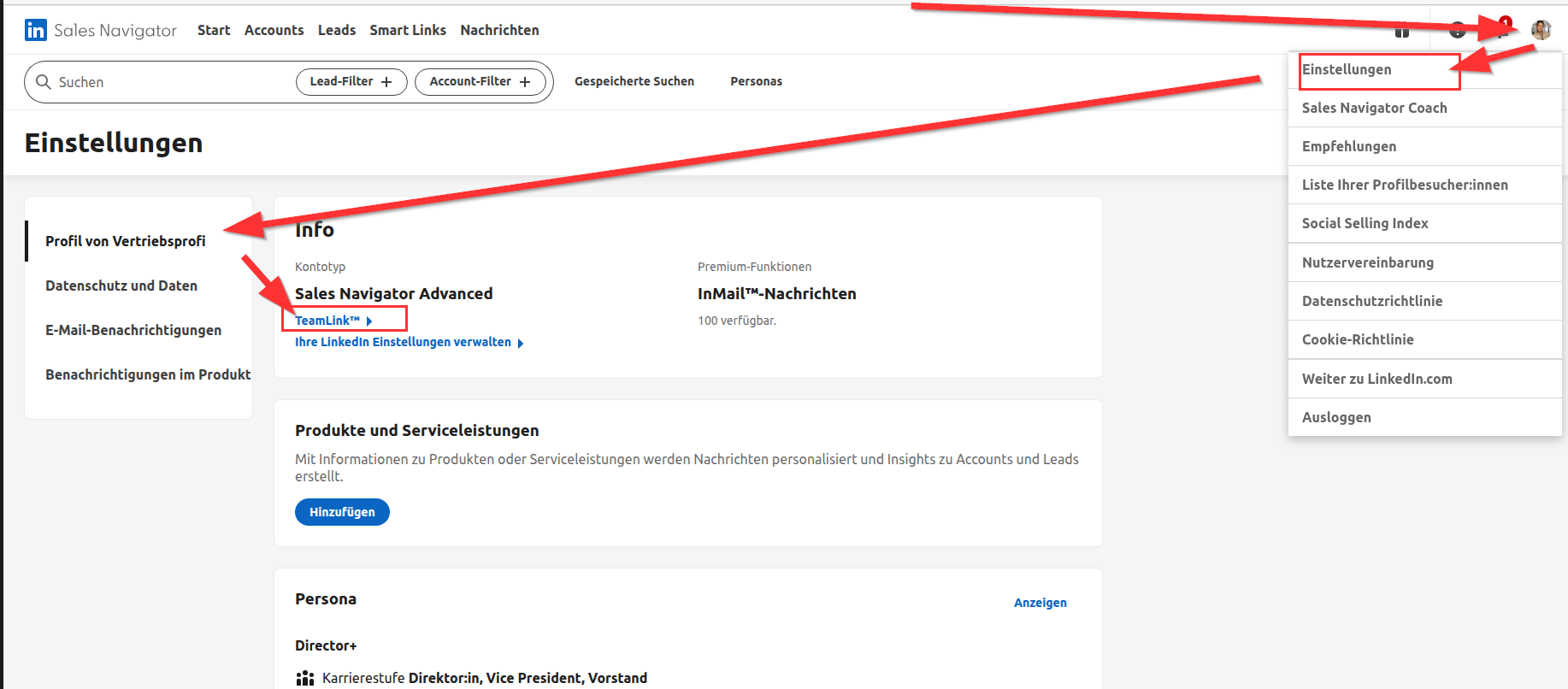
- Log in to your Sales Navigator account.
- Click your profile picture in the top right corner.
- Select "Settings" from the dropdown menu.
- The Sales Professional profile opens.
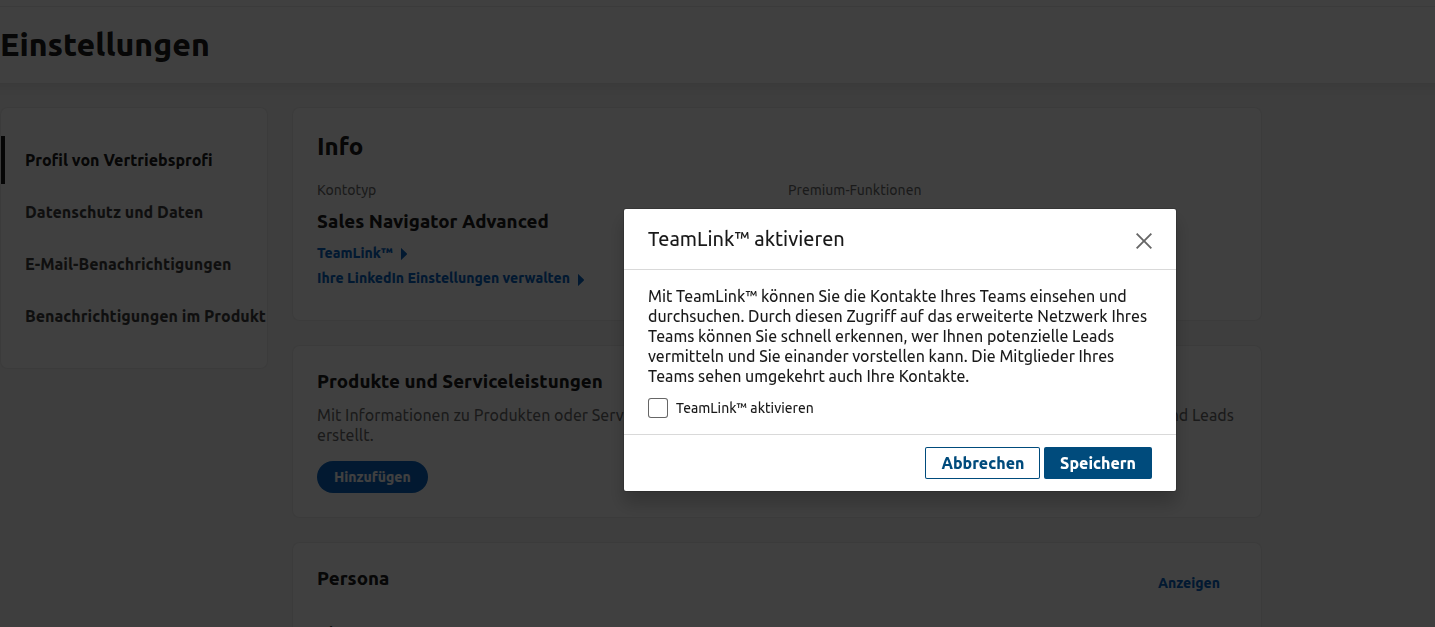
Disable TeamLink 0:26
- Click "TeamLink".
- Clear the TeamLink checkbox.
- Click "Save".
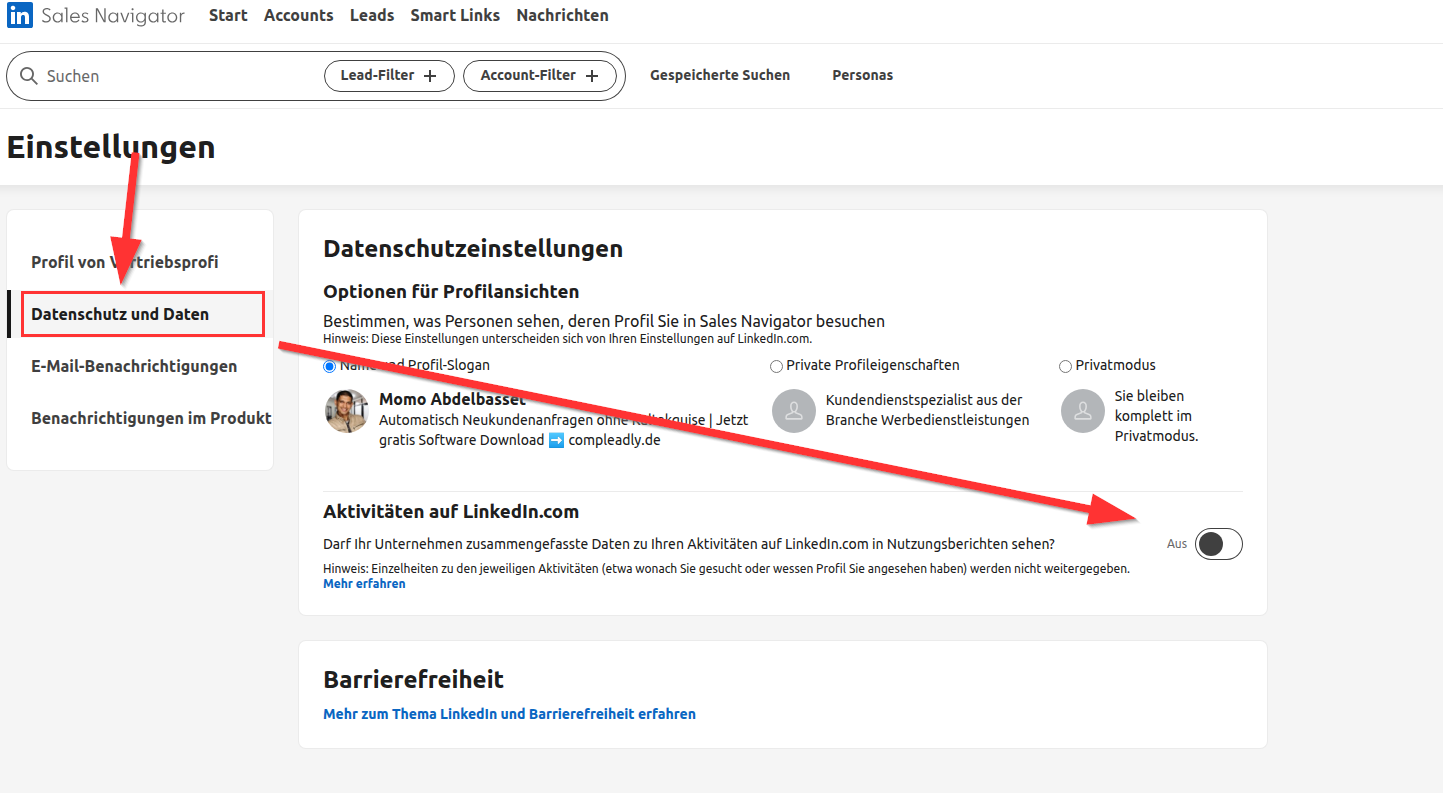
Adjust privacy and data settings 0:40
- Click "Privacy and Data".
- Look for the option that allows your company to see aggregated data about your activities on LinkedIn.
- Disable this option.
Using Sales Navigator 0:54
- Once disabled, you can use Sales Navigator as usual.
- Click "Get started" and set up lead filters.
- Create lead lists, but note that they will be lost if you no longer use Sales Navigator. What is lost if you lose or cancel Sales Navigator