Customer acquisition means turning people who don't know you yet into customers: define your target customer, build a list, reach out, follow up, book a meeting, close. On LinkedIn, the clicking alone for 100 contacted prospects takes just under nine hours by hand. Software takes over those steps, the conversation stays with you. Last updated: October 2026.
What customer acquisition means today
Customer acquisition is the active part of winning new business. Instead of waiting for inquiries, you approach companies and people who fit your offer. In B2B you'll meet three forms:
- Cold outreach: first contact with someone you have no business relationship with, by phone, email or message. What works in B2B is covered in What is cold calling?.
- Warm outreach: you contact people who already know you, such as existing connections or someone who reacted to your post.
- Social selling: you build a relationship through your profile, posts and comments before you pitch anything. See Social selling.
In practice the lines blur. A LinkedIn connection request is cold. Once it's accepted and you've exchanged a few lines, the contact is warm. That transition eats most of the time, and it's what this article is about. Which channel suits you in the first place is covered in customer acquisition channels. This article breaks down the process and does the time math.
The 6 steps of customer acquisition
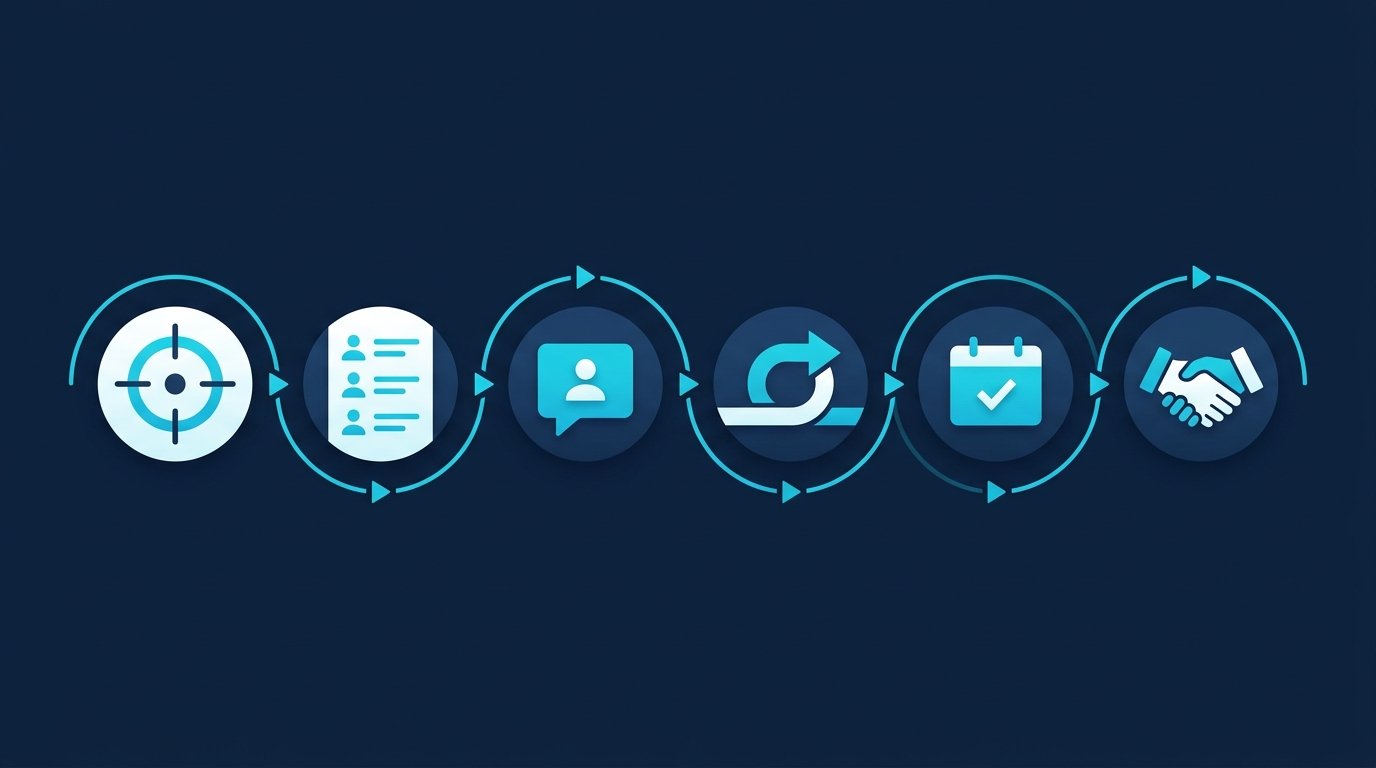
- Define your target customer. Industry, company size, role, region. The sharper the description, the better your messages will fit later. How to describe your ideal customer is covered in ideal customer profile.
- Build a list. Names come from LinkedIn people search or Sales Navigator. Everyone on the list is a potential first contact.
- First contact. View the profile, find a reason to reach out, send a connection request. After it's accepted, a first message opens a conversation and sells nothing.
- Follow up. If nobody replies, send a reminder after a few days, once or twice. If someone replies, you take over personally.
- Meeting. When your contact shows interest, suggest a short call, ideally with a booking link. Wording ideas are in our meeting request templates.
- Close. In the call you clarify needs and offer. That's selling, not acquisition anymore, and it stays with you.
Steps 2 to 4 are busywork. They repeat identically for every contact, and they determine how many conversations you end up with. Step 1 and steps 5 and 6 need your judgment. That line is exactly where manual work separates from what software can take over.
The manual way
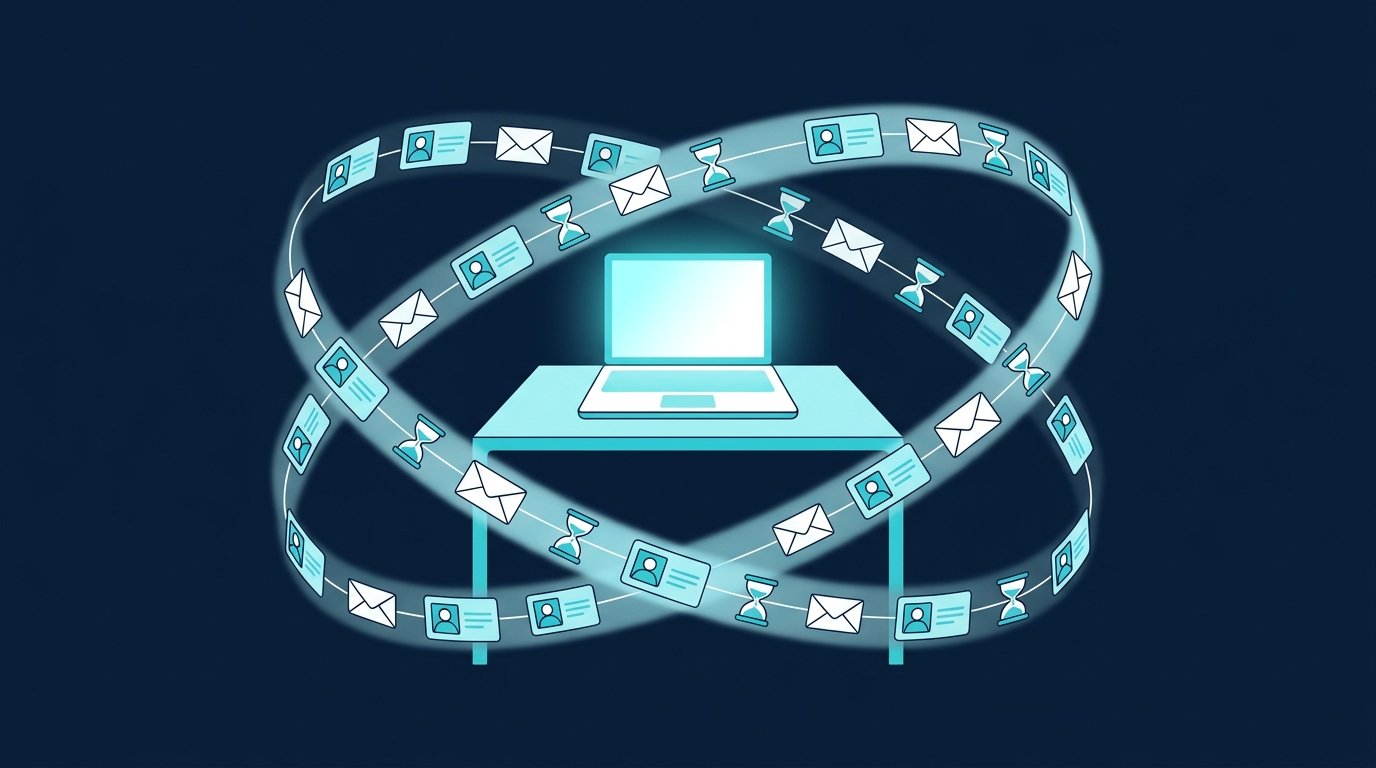
Here is what the work looks like for a single contact on LinkedIn. The minutes come from two CompLeadly accounts in 2026. They are the measured execution time of the software per action, a lower bound for manual work: the software pauses while opening, reading and typing the way a person does, and by hand every step takes at least as long.
- Define the audience and set up the search: once per audience, not measured.
- Open the profile and follow it so your name shows up once: about 1.5 minutes (90 seconds).
- Read the profile, find a reason, send the connection request: about 3 minutes (180 seconds).
- Check who accepted and write the first message: about 1.5 minutes (91 seconds) per accepted contact.
- Follow up after a few days without a reply: about 1.2 minutes (69 seconds) per follow-up.
- Withdraw pending requests nobody accepts: about 12 seconds per request.
- Read replies, hold the conversation, suggest a meeting: your work, not measured.
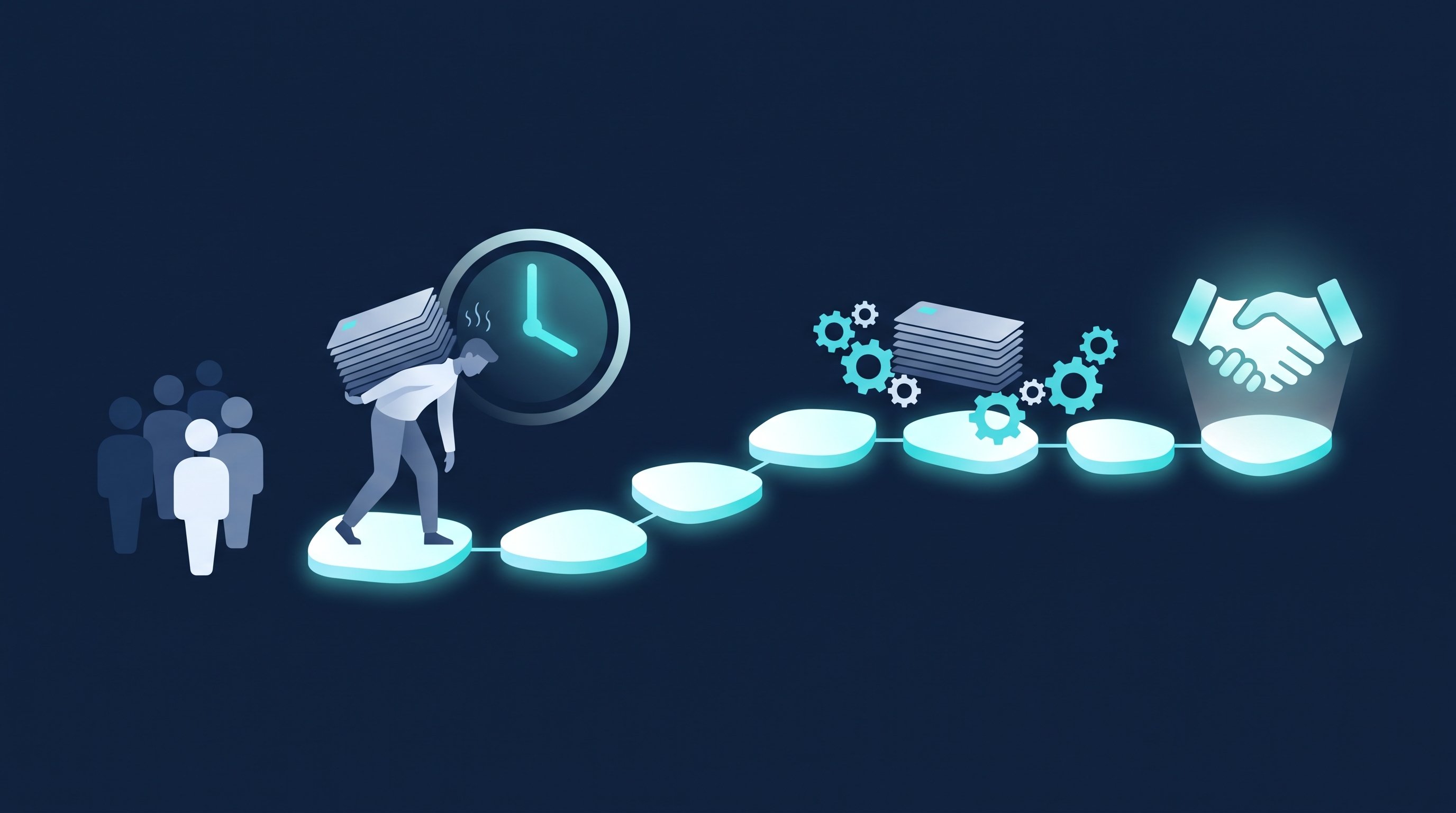
One contact at a time, that looks harmless. Scaled up, it doesn't. In one of the two accounts, the software executed 707 hours of actions such as following, connecting, messages, follow-ups and congratulations between January 1 and October 5, 2026, which is 39.6 weeks. By hand, that work would have cost about 18 hours a week. In the second account it was about 7 hours a week. What that workload feels like day to day is described in I was my most expensive intern: two hours of copy and paste every day, and no predictable meetings.
The CompLeadly way
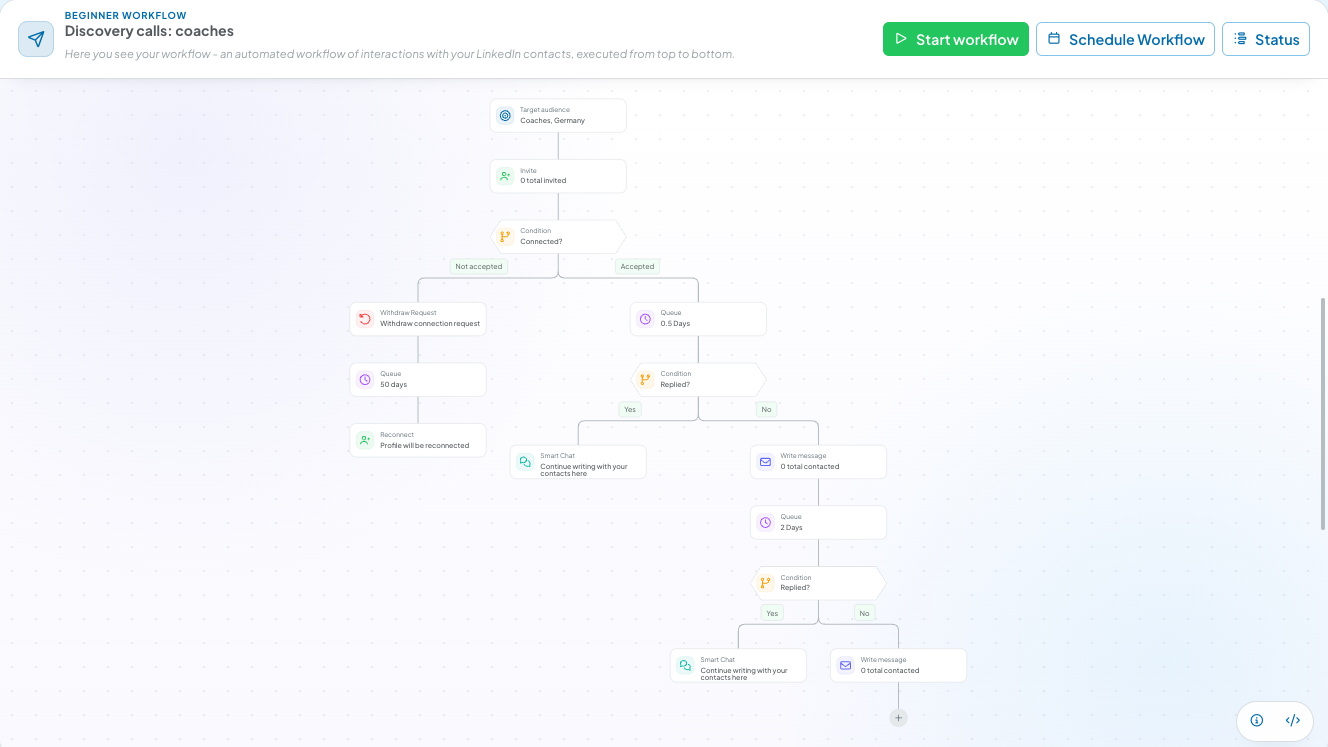
CompLeadly is a desktop app that runs on your own computer and executes the repetitive steps as a workflow. You set the audience and the messages once, then the app works through the list. A typical customer acquisition workflow:
- Audience (you): a LinkedIn people search, a Sales Navigator search or an imported Excel list becomes your audience.
- Visit and follow profiles (software): the app visits profiles one by one and follows them if you want.
- Connect (software): with or without a personal note, at a daily value you set per step.
- Opener (software): after acceptance a first message goes out, but only if the chat with that contact is still empty.
- Follow-ups (software): multi-step, each after a waiting period without a reply. When the contact replies, the automatic messages stop.
- Withdraw requests (software): the app withdraws pending requests after a minimum age in days, optionally only the ones it sent itself.
- Replies (you): anyone who replies lands in Smart Chat, the inbox with categories and templates (add-on). That's where you continue the conversation.
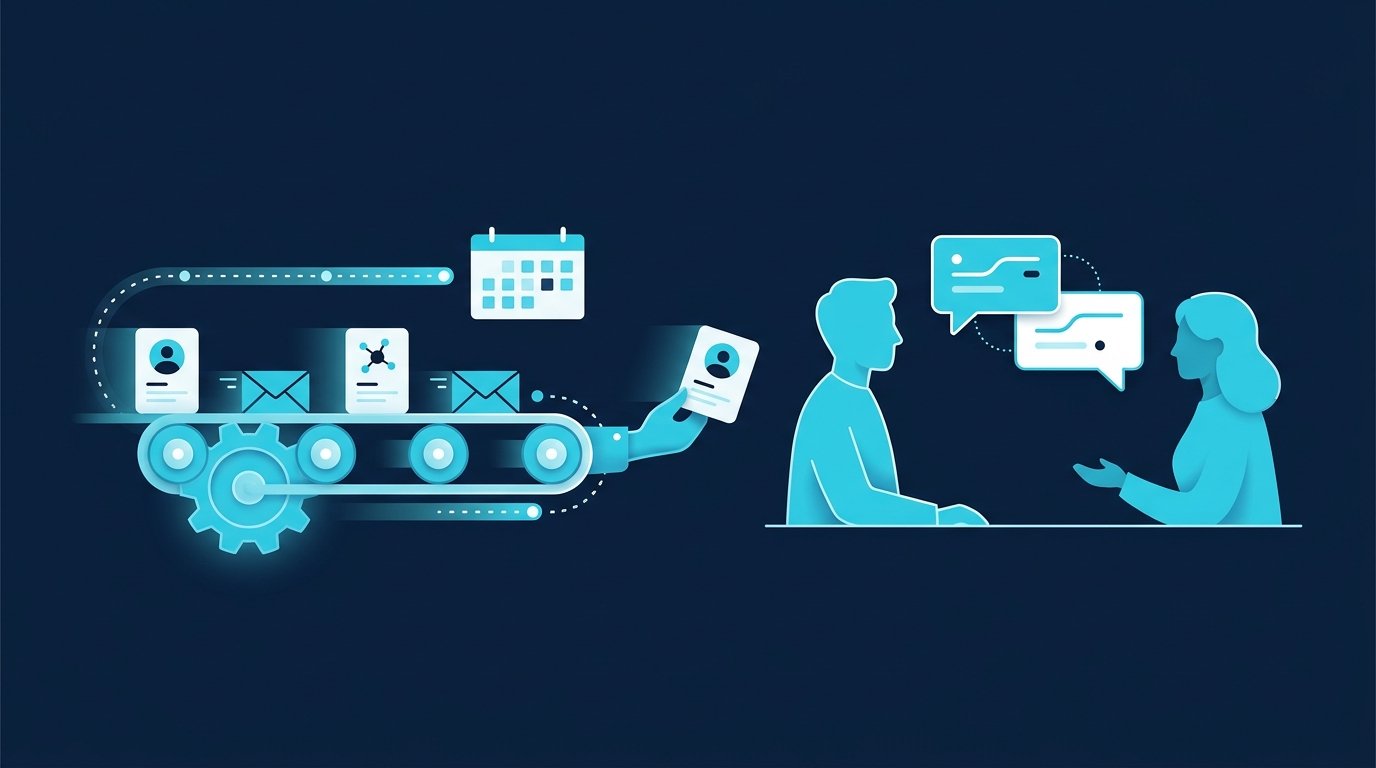
What needs judgment stays with you: choosing the audience, writing the messages, reading and answering replies personally, holding the conversation. The software takes the clicks off your plate, not the relationship.
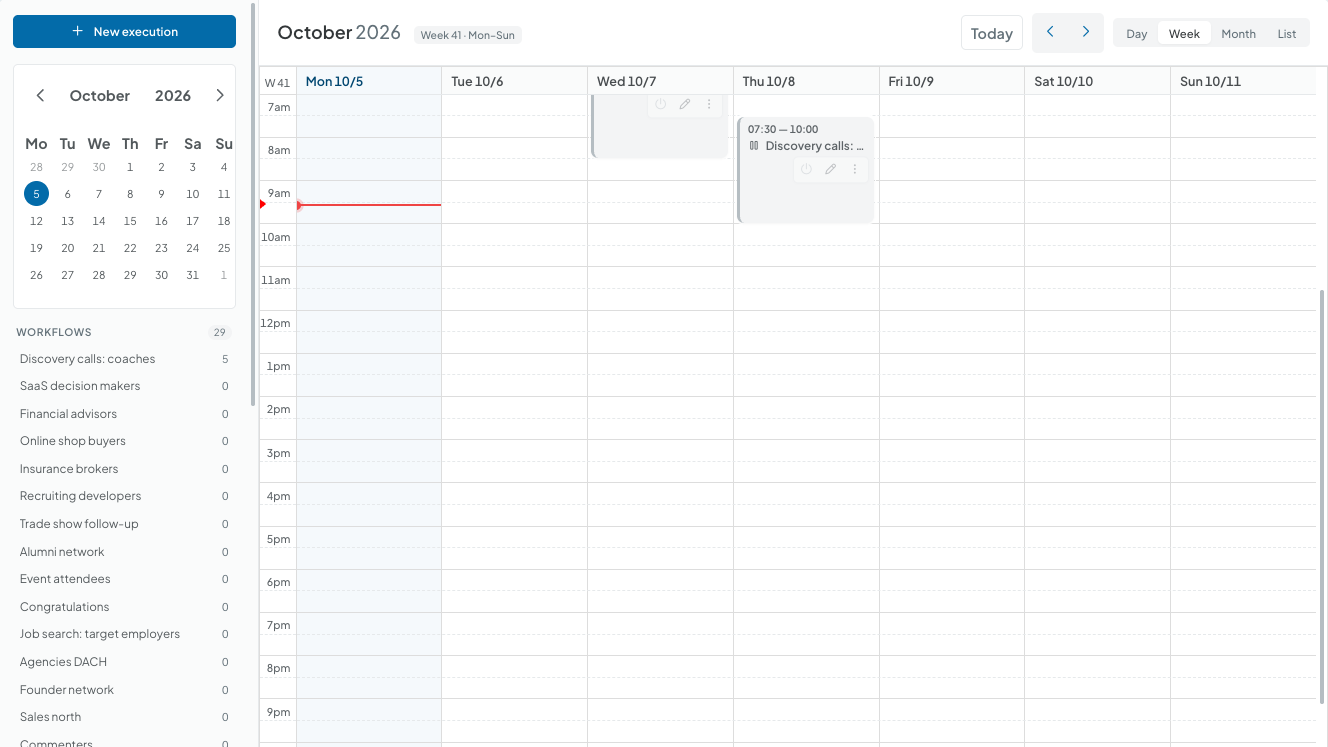
When the actions run is something you plan in the app's calendar. Under “Schedule workflow” you create executions with weekdays and a start time. The meeting itself is not booked in CompLeadly. You paste your booking link, for example from Calendly or HubSpot Meetings, into a message or follow-up of the sequence. CompLeadly schedules when that message goes out, and your prospect books through the link.
Single steps like connecting, opener and follow-up already run on the free version, with basic functions and daily limits such as 2 connection requests, 1 opener and 1 follow-up per day, each step started on its own. Full workflows and schedules start with Basic. You begin with a 10-day trial with every feature, after which your access switches to the free version automatically. Plans and prices are on the pricing page, all functions on the features page.
Want to plan your sequence before you build it? The free outreach sequence planner turns your audience, goal and offer into a multi-step sequence with a timeline. Open the tool
Time comparison
The table runs both approaches for 100 contacted prospects. The page adds the totals per 100 contacts, per accepted contact and per meeting from the rates.
| Step | Minutes by hand | Minutes with CompLeadly | Time saved |
|---|---|---|---|
| Open and follow the profile | 1.5 | 0 | 1.5 |
| Read the profile, find a reason, send the connection request | 3 | 0 | 3 |
| Withdraw the pending request | 0.2 | 0 | 0.2 |
| First message after acceptance (per accepted contact) | 1.5 | 0 | 1.5 |
| Follow-up without a reply (per accepted contact) | 1.2 | 0 | 1.2 |
| Total for 100 contacts | 8 h 58 min | 0 min | 8 h 58 min |
| Per accepted contact | 21.5 min | 0 min | 21.5 min |
| Per booked meeting | 7 h 10 min | 0 min | 7 h 10 min |
Example calculation · Acceptance rate 25%, Booking rate 5%
Sample calculation. Assumptions: minutes per step are the measured execution time of the software from two CompLeadly accounts in 2026 (average per action: follow 90 seconds, visit and connect 180, first message 91, follow-up 69, withdraw 12), a lower bound for manual work. Acceptance rate of 25 % as the midpoint of the 13 to 37 % range measured across the audiences of these accounts. Meeting rate of about 5 % of accepted contacts, our own estimate, not counted. Withdrawing is applied to all contacted prospects and the follow-up to all accepted contacts, so both are upper bounds. With CompLeadly, 0 minutes per contact because the software runs these steps; the one-time setup of audience and messages was not measured and is not included. Reading replies, conversations and meetings take the same time either way and are not included.

The rates are the biggest unknown in the calculation. Across the audiences of the two accounts, acceptance rates ranged from 12.6 to 36.7 %. Requests to coaches landed between 12.6 and 31.8 % depending on the region, requests to software and technology decision makers at 28.8 %. The same audience in a different region can perform only half as well. So test audience and message before you raise the volume.
For comparison: the study LinkedIn Outreach Benchmarks 2026 by the tool vendor Reachium measured 27.1 % accepted requests, replies from 27.6 % and booked meetings from 2.0 % of accepted contacts. It is based on 180,155 connection requests sent by the vendor's own customers between January 2025 and August 2026, evaluated at least 30 days after sending (retrieved October 5, 2026). Our estimate of about 5 % meetings is higher. For your own planning, use the numbers from your own audience.
What the calculation doesn't replace is the conversation. The time for replies and meetings stays. What that looks like once the busywork is gone is described in why I only need 30 minutes a day for outreach.
Customer acquisition by audience
The process stays the same, the audience changes the details: whom you search for, what the opener refers to and which conversation comes at the end.
Coaches
In B2B coaching, the audience is managing directors, HR leads and executives. Acquisition here means a few well-matched contacts, an opener that refers to their role or a post, and a discovery call as the goal. The selling happens in the call, not in the chat.
Financial advisors and insurance brokers
The people you reach out to are often business owners, freelancers and managing directors. Trust comes before the meeting: a complete profile and a calm first contact carry further than a quick offer. We have no acceptance rates of our own for this audience. Plan with the 13 to 37 % range across all measured audiences and track your own number.
SaaS companies
Founders, SDRs and account executives contact decision makers by role, industry and company size, and the goal is the demo. Requests to software and technology decision makers were accepted at 28.8 % in the measured accounts. How founders and sales teams use CompLeadly is shown on the pages for founders and sales teams.
B2B online shops
Here the audience is buyers, resellers and owners of specialist businesses. You search by job title, industry and company size. The goal is a first conversation about range and terms. We have no rates of our own for buyers, so the 13 to 37 % range applies here too.
Sales, recruiting, job search: the same process
Sales: everything above is sales. A Sales Navigator or LinkedIn people search becomes the audience for profile visit, connection request, opener and follow-ups, and you compare acceptance rates per audience.
Recruiting: winning candidates follows the same six steps, only the close is a contract instead of an order. With your own Recruiter Lite license, CompLeadly uses Recruiter search, pipeline and saved searches as an audience and, on Basic and up, runs one workflow per role. More on the CompLeadly for recruiters page.
Job seekers: you flip the direction and make recruiters and hiring managers at the companies you want to join your audience. Profile visit, connection request with a note, opener and follow-up all run on the free version, with daily limits of 2 connection requests, 25 profile visits, 1 opener and 1 follow-up. To get your profile ready first, see Open to Work on LinkedIn.
Common customer acquisition mistakes
- Starting without a target customer. Write to everyone and you collect low acceptance rates and conversations with people who will never buy.
- Selling in the first sentence. An opener with an offer and a link ends the conversation before it starts. The first message asks a question that refers to the profile.
- Giving up after one message. Skip the follow-up and you lose everyone who simply missed your first message. One or two follow-ups a few days apart are part of the job.
- Leaving pending requests alone. The list grows and you lose track. Withdraw old requests regularly, as described in LinkedIn connections limit.
- Not measuring. Track requests, acceptances, replies and meetings per audience. Change one thing at a time, or you won't know what worked.
- Leaving the meeting to chance. Without a clear next step, a good conversation dies in the chat. Offer a booking link or two specific time slots. More in why LinkedIn meetings fall through and how to book them anyway.
A note on the channel: work cleanly
Good outreach is relevant to the recipient. Contact people whose role has a visible connection to your offer, and say where the contact comes from. A no or a “please stop messaging me” ends it immediately. Store only what you need for the conversation, and know the source of every contact detail. If your professional association has its own code for approaching clients, it applies on LinkedIn too. What a warm first contact looks like step by step is shown in What is cold calling?.
Frequently asked questions: customer acquisition
What is customer acquisition?
Customer acquisition is actively winning new customers: you approach companies and people who fit your offer instead of waiting for inquiries. It includes cold outreach, warm outreach and social selling, by phone, email or networks like LinkedIn.
What are the steps of the customer acquisition process?
Six: define your target customer, build a list, first contact, follow-up, meeting and close. The steps from the list to the follow-up repeat for every contact and can be automated. Target customer, meeting and close need your judgment.
How much time does customer acquisition on LinkedIn take by hand?
About nine hours of pure clicking per 100 contacted prospects, based on the measured execution time from two CompLeadly accounts and an acceptance rate of 25 %. That's a lower bound. Conversations and meetings come on top.
What is the difference between customer acquisition and lead generation?
Lead generation produces interested contacts, through ads, content or outreach. Customer acquisition covers the whole path to a paying customer, and in the outbound sense used here it means approaching potential customers yourself and taking them to a meeting and a close.
Can I automate customer acquisition?
The repetitive steps, yes: visiting profiles, connecting, sending the first message and follow-ups, withdrawing pending requests. CompLeadly runs them as a workflow on your computer. Audience, messages, replies and conversations stay with you.
Does CompLeadly book meetings for me?
No. CompLeadly uses its calendar to plan when actions run. Your contact books the meeting through your own booking link, for example from Calendly or HubSpot Meetings, which you paste into a message or follow-up of the sequence.