
In short: Thought leader ads turn a public post from a personal LinkedIn profile into an ad. The company pays, the person approves, and the ad is the post itself. You can run them with the objectives brand awareness and engagement, plus video views for videos, from a minimum daily budget of $10. Paid reach pays off for posts that have already drawn comments from your audience organically. Whoever reacts to a post, paid or not, should get a connection request that refers to it.
As of: October 2026.
What LinkedIn thought leader ads are
A thought leader ad is a public post from a personal profile that a company sponsors. You can promote posts from your own employees, from creators and from members who are 1st, 2nd or 3rd-degree connections, always with the person's approval. The ads appear in the LinkedIn feed and on the LinkedIn Audience Network (LinkedIn Help, Thought leader ads, and Create thought leader ads in Campaign Manager, both accessed on 11 October 2026).
LinkedIn pitches the format with the line "Build credibility by communicating through a trusted voice" and names employees, industry experts, customers and creators as possible voices (LinkedIn Marketing Solutions, Thought Leader Ads, accessed on 11 October 2026).
The ad creative is the post. You don't add a headline or intro text, and only the author can edit the post. Links in the original post stay clickable when it is sponsored. There are no call-to-action buttons (LinkedIn Marketing Solutions, Thought Leader Ads Specifications, accessed on 11 October 2026). The one exception is event thought leader ads, which include a button (LinkedIn Help, Thought leader ads).
Which posts you can sponsor, and with which objective
Post type | Ad format | Objectives |
|---|---|---|
Text or single image | Single image | Brand awareness, engagement |
Video | Video | Brand awareness, engagement, video views |
LinkedIn Live event | Event | Brand awareness, engagement |
Article or newsletter | Article and newsletter | Brand awareness, engagement |
Source: LinkedIn Help, Thought leader ads. Event posts must come from attendees of a LinkedIn Live event created by the Page linked to your ad account. Eligible collaborative posts are supported too.
Not eligible: celebrations, documents, polls, posts with multiple images and reposts. To promote a repost, ask the original author and sponsor the original post. You also can't duplicate a thought leader ad. And there is no objective for leads, website visits or job applications.
LinkedIn has published one number on the format: "Thought Leader Ads have a 1.7x higher click-through rate and 1.6x higher engagement rate compared to other single-image ad campaigns." The footnote matters. The figure is based on a select group of early pilot testers between February and April 2023, "may be impacted by early adopter bias and is considered directional" (LinkedIn Marketing Solutions, Thought Leader Ads two-pager, PDF, accessed on 11 October 2026). Treat it as a pointer, not as a forecast for your account.
Requirements
On the company side. You need super admin, content admin or Sponsored Content poster access on the Page associated with the ad account, and creative manager access or higher on the ad account itself. If the ad account belongs to a Showcase Page, the permissions apply to the parent company Page (LinkedIn Help, Create thought leader ads in Campaign Manager).
On the author's side. The post must be public and the profile must show the person's full name. The author has also disclosed the relationship with the company, for example with the role in the profile headline or a hashtag such as #SponsoredPost in the post (LinkedIn Help, Manage permissions to sponsor organic posts as thought leader ads, accessed on 11 October 2026).
Finding posts. In Campaign Manager you can search posts from employees of your company and from 1st and 2nd-degree connections. Posts from 3rd-degree connections and beyond can only be found and requested in Creator Marketplace (LinkedIn Help, Thought leader ads).
How to set one up in Campaign Manager
- Create a classic ad set with brand awareness, engagement or video views as the objective. Pick the format that matches the post: single image for text and image posts, video for videos, event or article and newsletter for those post types.
- On the "Ads in this ad set" page, click "Browse existing content".
- In the Content Library, click "LinkedIn members", then search the "Posts" tab by member name or post URL.
- Select the post and click "Request approval". You can also copy a link to the request and send it to the person as a direct message.
- The "Requests" tab shows every request as Approved, Declined or Pending. Once the person approves, you can sponsor the post.
Source: LinkedIn Help, Create thought leader ads in Campaign Manager. The ad set decides who sees the ad, where it runs and how much it can spend.
The author gets an email with options to approve or reject and to turn auto-approval on or off. There is no limit to the number of requests you can send to one person (LinkedIn Help, Thought leader ads). On the Sponsorship Permissions page, the author can approve requests one by one or switch on auto-approval per brand for all pending and future requests (LinkedIn Help, auto-approval settings, accessed on 11 October 2026). If the author revokes the permission later, the ad turns off immediately (LinkedIn Help, Create thought leader ads in Campaign Manager).

A rule for authors in the EEA and Switzerland
On its help page for authors, LinkedIn writes:
"At this time, content from authors and creators located in DMA countries is not discoverable and cannot be sponsored as thought leader ads. If you reside in a DMA country, your posts will not appear for advertisers in Creator Marketplace, even if they are public."
Source: LinkedIn Help, Manage permissions to sponsor organic posts as thought leader ads, accessed on 11 October 2026. DMA countries are the European Economic Area and Switzerland (LinkedIn Help, Digital Markets Act, accessed on 11 October 2026).
The help pages for advertisers don't mention this rule, and LinkedIn doesn't say whether it also applies to employees you search for directly in Campaign Manager. If your authors live in Europe, run the steps above once before you plan a budget. If the post doesn't show up, although it is public, the profile shows the full name and the person works for you or is connected with you, the rule applies to that route as well.
What thought leader ads cost
The price comes from an auction. What you are charged for depends on the optimization goal and bidding strategy of your ad set (LinkedIn Help, LinkedIn's advertising cost and pricing, accessed on 11 October 2026). For the objectives available to thought leader ads, that means:
- Brand awareness: charged by impressions.
- Engagement: charged by impressions with maximum delivery or a cost cap, by engagement clicks with manual bidding.
- Video views: charged by video views with manual bidding, otherwise by impressions.
Source: LinkedIn Help, Objective-based pricing for LinkedIn advertising, accessed on 11 October 2026.
LinkedIn's auction rewards relevant ads. Relevance is scored on factors such as click-through rate, comments, likes and shares, and the more relevant your ad, the lower the price you pay (LinkedIn Help, advertising cost and pricing).
The minimum daily budget is $10 for any ad format, and new campaigns need a minimum lifetime budget of $100 (LinkedIn Marketing Solutions, Making the Most of Your Budget, accessed on 11 October 2026). If you run one ad set for 30 days at the minimum, you spend at least $300.
For an overview of all ad formats, read our guide to LinkedIn ads.
Which numbers to watch
Campaign Manager reports on the performance of each thought leader ad. Two metrics only exist for sponsored member posts: member follows, when someone follows the author's profile through the ad, and clicks to member profile, when someone clicks through to the author's profile (LinkedIn Help, Thought leader ads).
The author sees the total impressions and reach of organic and paid delivery together on the post. That total doesn't include the LinkedIn Audience Network. LinkedIn therefore suggests that authors save their organic performance before the campaign starts, so you can measure the effect afterwards. Its other tips: sponsor posts that are less than 30 days old, review performance every quarter, and use your Page's "My Company" tab to find employee posts worth sponsoring (LinkedIn Marketing Solutions, two-pager).
For the organic side, post analytics split impressions into members who follow or are connected to the author and everyone else (LinkedIn Help, post analytics, accessed on 11 October 2026). That split shows you how much of a post's reach depends on the author's network.
Paid or organic: when paid reach pays off
A personal post first reaches the author's network. Every connection from your audience is one more reader for the next post, and unlike a sponsored impression, that reader stays. A paid campaign buys reach for one post, for as long as the budget runs.
Four levers bring personal posts to the right people. Three of them cost no ad budget.
1. Build the network from your audience
If your founder connects with people from your audience every week, the group that sees her posts grows in exactly the direction an ad would target. By hand this takes time: finding profiles, checking them, sending requests, writing after acceptance. What that looks like as a weekly routine of posting and connecting is in LinkedIn personal branding for founders. More ways to relevant contacts are in LinkedIn networking.
2. Turn reactions into contacts
Whoever reacts to a post knows the author's name afterwards. A connection request that refers to the post isn't cold outreach for these people. With a sponsored post it works the same way, only you paid for the reaction.
3. Comment in your audience
An expert comment under a post by someone from your audience puts the author's name in front of that person's network, without any budget. Why this often brings more than one more post of your own is in Post less, comment more.
4. Paid, without the person: boost company page posts
The classic paid route is boosting posts from your LinkedIn Page, directly from the Page or in Campaign Manager. You can boost posts with text, single images, events, videos, documents, and LinkedIn articles or newsletter articles. Billing runs through your ad account. One difference matters for sales: Page posts can use the "Get more leads" goal with a lead gen form, except for document posts (LinkedIn Help, Boost a post from your LinkedIn Page, accessed on 11 October 2026).
If you boost directly from the Page, the campaign gets a lifetime budget, the maximum delivery bidding strategy and a schedule with start and end date, and you are charged by impressions (LinkedIn Help, budget, bidding and schedule for boosted Page posts, accessed on 11 October 2026). Posts with polls or job ads can't be boosted (LinkedIn Help, posts that can be boosted from a LinkedIn Page, accessed on 11 October 2026).
The catch: a Page post speaks with the company's voice, not with your founder's. You can soften that if the Page picks up one of her ideas with her name and a quote, while her original post runs organically alongside it. How to set up a Page is in How to create a LinkedIn company page.
Our recommendation: Build the network of the people who post, and turn every reaction into a request. Put budget only behind ideas that have already drawn comments from your audience organically. Sponsor them as thought leader ads where the format is available to you, otherwise as a Page post that picks up the idea.

How it works with CompLeadly
CompLeadly doesn't run ads and doesn't publish posts. The desktop app takes over levers 1 and 2, the clicking around connecting and reactions.
- Audience: A LinkedIn people search, a Sales Navigator search, your followers or an Excel list becomes an audience.
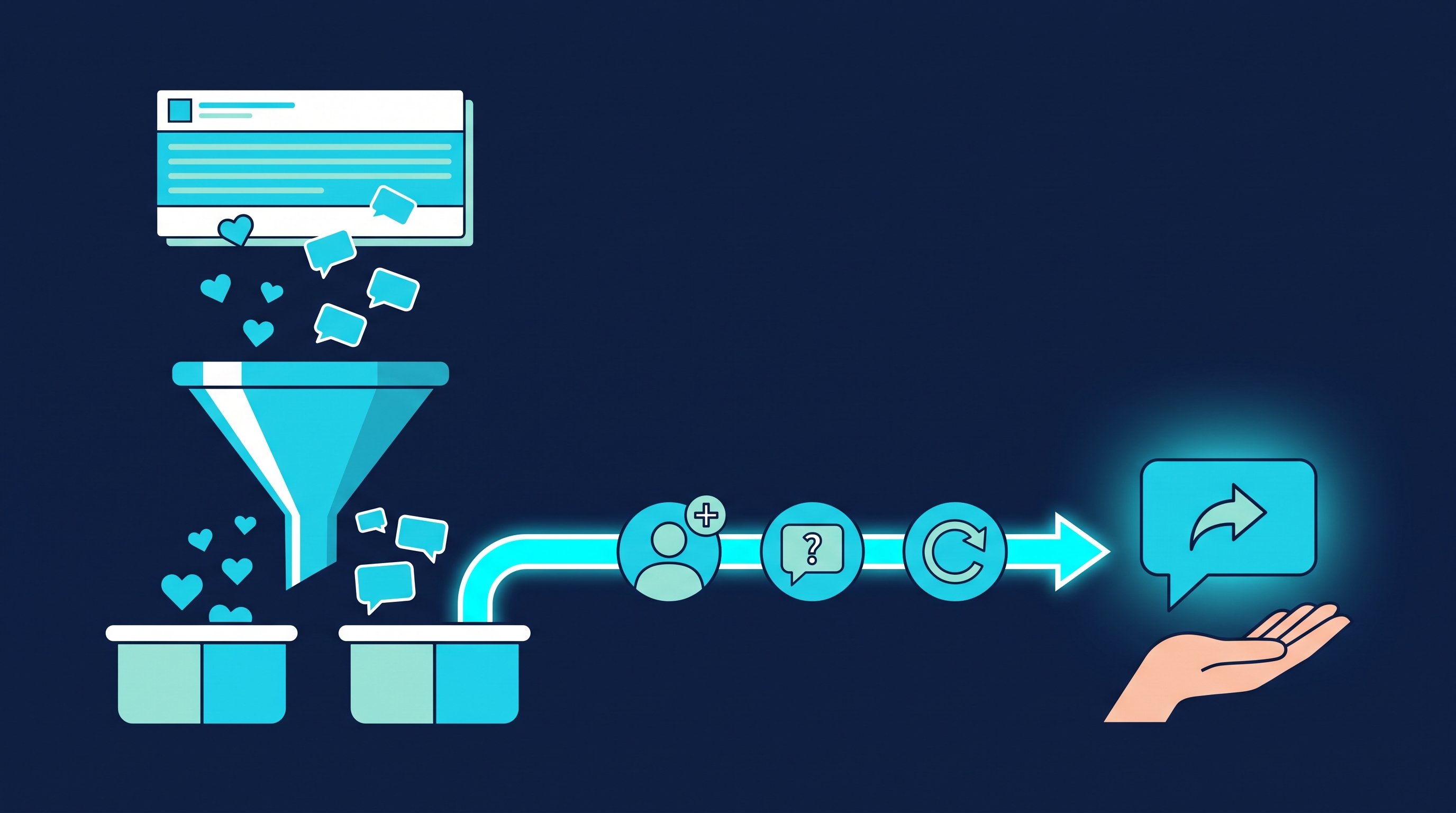
- Reactions as an audience (from Premium): The feature "Export post interactions" reads likes and comments under LinkedIn posts and turns the people into audiences. It evaluates your own posts or posts by profiles from an audience. That way a sales rep can evaluate his CEO's posts from his own account. Commenters and likers land in separate audiences, each split again into people you are already connected with and everyone else. An age window in days keeps the evaluation fresh, and keywords include or exclude posts. The how-to is in Export leads from post interactions, the case with other people's posts in Use case: posts by others.
- Connecting, opener, follow-up: Profile visit and connection request. After acceptance a first message goes out, but only if the chat is still empty. A follow-up only comes once your last message has gone unanswered for as many days as you set. If the contact replies, the automatic messages stop.
- Replies in the team (Smart Chat, separate package): With Smart Chat, your LinkedIn messages sit in CompLeadly. You filter for unanswered chats, create categories such as "reacted to post" and assign chats to colleagues, who don't need access to your LinkedIn profile for that.
Connecting, opener and follow-ups as a workflow start with Basic at $29.99 per month excl. VAT, or $24.99 on the yearly plan. Exporting post interactions is included in Premium, at $59.99 per month excl. VAT or $49.99 on the yearly plan. The free version runs single steps with daily limits, such as 2 connection requests, 10 messages to 1st-degree contacts and 1 follow-up per day. You start with a 10-day trial, no credit card. All packages are on the pricing page, as of 11 October 2026. How a team sets this up across several profiles is shown on the page for sales teams.
Three messages after a post by your CEO
An example: the CEO of a software company for warehouse management writes about inventory errors in mid-sized companies. The sales rep sends the messages from his own profile. Names and company are made up. Whether to add a note to a request at all is covered in LinkedIn connections with or without a message.
1. Note to someone who commented.
Hi Tobias, your comment on Anna's post about inventory discrepancies got me thinking. I work with Anna and would be glad to connect.
2. First message after acceptance.
Thanks for connecting, Tobias. A question out of curiosity: do you still count your warehouses once a year, or already on a rolling basis throughout the year?
3. Follow-up without a reply. New content instead of a reminder.
Tobias, Anna has written a follow-up: how three companies moved away from the annual stocktake. If it's a topic for you right now, I'm happy to send you the link.
Whatever comes after the first reply you write by hand. The same method works with your competitors' posts, see How to get 30+ qualified leads from your competitors' posts.
Recruiting: employer branding with and without thought leader ads
In recruiting, thought leader ads are an obvious fit. A team lead who writes about her work day reads differently to candidates than a job ad. Two limits apply: there is no objective for job applications, and for authors in the EEA and Switzerland the rule above applies.
What carries either way: the team lead connects with professionals from her field, so her posts reach them. If you want to put budget behind her ideas, sponsor her best post, or let the Page pick it up and boost that Page post, for example as a video. The role itself belongs in a job post, because Page posts with job ads can't be boosted (LinkedIn Help, posts that can be boosted from a LinkedIn Page). Costs and steps are in LinkedIn job posting cost.
CompLeadly takes over the next step. With the post interaction export, you turn the likes and comments under the team lead's posts into an audience of its own. With your own Recruiter Lite license, a Recruiter Lite search, pipeline or audience becomes an audience too. Connecting, opener and follow-ups run until someone replies. Wording is in LinkedIn recruiting messages, the process on the page for recruiters.
Job hunting: how candidates use company posts
As a candidate you don't run ads. The organic posts of managers at your target companies are still your best way in.
Read the post in full, write a comment with an experience of your own instead of "Great post!", and then send a connection request that refers to it. You are no longer the hundredth application, but the person who added something to the topic.
To reach hiring managers, the free version of CompLeadly is enough: a people search for these roles becomes an audience, and profile visit, connecting, opener and follow-up run one at a time within their daily limits. What to avoid along the way is in LinkedIn mistakes when job hunting.
FAQ: LinkedIn thought leader ads
What are LinkedIn thought leader ads?
Public posts from personal LinkedIn profiles that a company sponsors with the person's approval. They run in the feed and on the LinkedIn Audience Network. The ad is the post itself; the company adds no headline, intro text or button.
How much do LinkedIn thought leader ads cost?
The price comes from an auction. Depending on objective and bidding strategy, you pay per impression, per engagement click or per video view. The minimum daily budget is $10, so 30 days at the minimum cost at least $300.
Which posts can be sponsored as thought leader ads?
Public text, single image, video, article and newsletter posts, eligible collaborative posts and posts from attendees of your LinkedIn Live events. Celebrations, documents, polls, posts with multiple images and reposts can't be sponsored.
Can I run thought leader ads with authors in Europe?
LinkedIn currently writes that content from authors in DMA countries, meaning the European Economic Area and Switzerland, can't be sponsored as thought leader ads. Whether that also applies to employees you search for directly in Campaign Manager, LinkedIn doesn't say. Test it there with a public post by the person.
What is the difference between thought leader ads and boosting a company page post?
A thought leader ad speaks with a person's voice and supports brand awareness, engagement and video views. A boosted Page post speaks with the company's voice but also offers the "Get more leads" goal with a lead gen form.
Does CompLeadly run ads?
No. CompLeadly doesn't run ads and doesn't publish posts. It turns searches, reactions and comments into audiences and takes over connecting, the first message and follow-ups.