
In short: As a financial advisor or insurance agent, you win clients on LinkedIn by choosing a small, clearly defined audience, such as owners of mid-sized companies or doctors with their own practice, connecting with these people and offering a conversation before you mention a product. Bought leads save you the search, but not the trust. Below you'll find who to approach, what your profile should show, five messages to adapt, what the manual route costs you in time and what CompLeadly takes over.
As of: October 2026.
If you're short on new clients, look at the first contact before you look at your advice. Referrals come in irregularly, events cost you evenings, and with bought leads you often don't know who else received them.
LinkedIn offers a different way in. Business owners, managing directors and self-employed professionals list their role, company and location there. You can see who you're writing to before you write. And the person sees your profile before replying. How customer acquisition works as a process for every audience is covered in Customer acquisition: the process by hand and automated. This post takes that route all the way for financial advisors and brokers.
Bought leads or contacts you win yourself
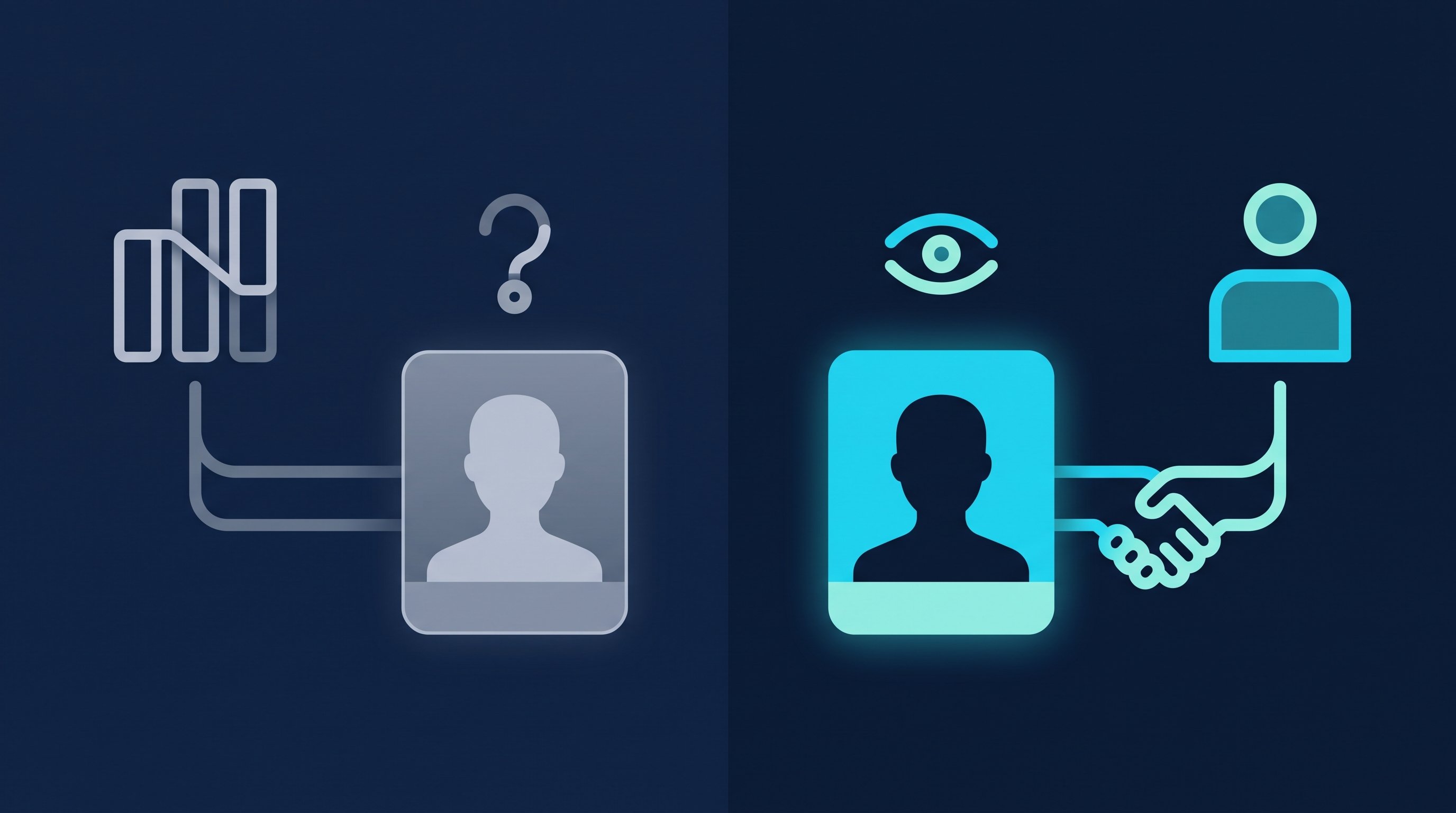
Both have their place. The difference isn't just the price, it's what you can do with the contact.
| Bought lead | Contact you won on LinkedIn |
|---|---|---|
Origin | A provider collected the inquiry, usually through a form | You found the person and sent a request, they accepted |
Connection to you | None, the person doesn't know your name | They saw your profile and accepted your request |
Who else contacts them | Depends on the provider, ask | You don't know, but nobody gets them passed on from you |
Cost | Price per lead | Your time, or a tool that does the clicking |
What you control | Topic and region, depending on the provider | Role, industry, location, company size, all chosen by you |
If you buy leads, ask three questions before the first order: Does this contact go only to me? How was it generated? What happens if the person can't be reached? The answers tell you more about quality than the price does.
Run both routes through the same formula. Cost per lead is the cost of a channel divided by the leads from that channel. How to factor in your own time, and why a cheap lead can turn out expensive, is in Cost per lead in B2B.
Our recommendation: buy leads when you need to fill your calendar quickly. At the same time, build your own stream from LinkedIn, because you built these contacts yourself, even if they aren't buying today.
Who financial advisors and brokers should approach on LinkedIn
LinkedIn is a network for working professionals. It's the wrong place for a student's private retirement savings and a good one for the workplace pension plan of a trade business with forty employees. Three groups fit especially well, because they list their role on LinkedIn and have topics you can solve:
- Owners and managing directors of small and mid-sized companies. Topics: workplace pension plans, protecting the business, succession, their own retirement planning alongside the company.
- Doctors, dentists and other self-employed professionals with a practice or firm. Topics: opening or taking over a practice, disability coverage, protection for their staff.
- High-earning executives. Topics: building wealth, retirement planning beyond the state pension, protecting their family.
Start with one group, not three. If you write to dentists, you can write about practice takeovers. If you write to everyone, you write about nothing. How to describe your ideal client before you search is in Ideal customer profile.
You find these people through people search. LinkedIn understands Boolean searches: the operators AND, OR and NOT in capital letters, quotation marks for exact phrases and parentheses for grouping (LinkedIn Help, Use Boolean search on LinkedIn, accessed on 12 October 2026). Two examples:
- (Owner OR CEO OR "Managing Director") AND Construction
- (Dentist OR "Practice Owner") NOT Student
Sales Navigator gets more precise. There you filter leads by industry, geography, seniority level and years in current position, among other things, and companies by headcount (LinkedIn Help, Sales Navigator lead and account search filter definitions, accessed on 12 October 2026). How to turn that into a search is in the Sales Navigator guide.

A profile that builds trust
Whoever receives your request can open your profile before accepting or replying. Four things should be clear there within ten seconds.
- Who you work for. "Financial advisor" on its own says nothing. "Retirement planning and protection for dental practices in your region" says it all. For headline ideas, try the free headline generator.
- How you work. Whether you compare several insurers as a broker, represent one company as an agent or advise for a fee belongs in your About section. People who make decisions about money want to know this before they have to ask.
- One offer. If your profile offers insurance, real estate, loans and investments all at once, it looks like a general store. Why one profile per offer works better is explained in Why you need a separate LinkedIn profile for every offer.
- Proof. Recommendations from clients appear on your profile and speak in your clients' voice instead of yours. How to ask for them is in LinkedIn recommendation examples. Which kinds of proof build trust is covered in Why trust is the most important factor in your sales success.
If you also post, write about the questions your clients ask in the first meeting. How posting and connecting work together is in LinkedIn personal branding for founders.
How it works by hand
Say you send requests to 50 business owners from your region every week and a quarter of them accept. This is what the work looks like when you do the clicking yourself. The minutes come from two CompLeadly accounts in 2026. They are the measured execution time of the software per action and therefore a lower bound for manual work: the software pauses like a person when opening, reading and typing.
- Define the audience and build the search: your work, not measured.
- Open and follow 50 profiles: about 75 minutes.
- Read 50 profiles, find a reason to connect, send the connection request: about 150 minutes.
- Check about 12 new contacts and write them a first message: about 18 minutes.
- Send about 12 follow-ups to contacts from previous weeks who haven't replied: about 14 minutes.
- Withdraw 50 old, pending requests: about 10 minutes.
- Handle replies, suggest an introductory meeting: your work, not measured.
That's about four and a half hours of pure clicking per week. For an advisor who fills the day with client meetings, that's half a working day that never ends up in a meeting. Exactly these hours are missing when your calendar is full.
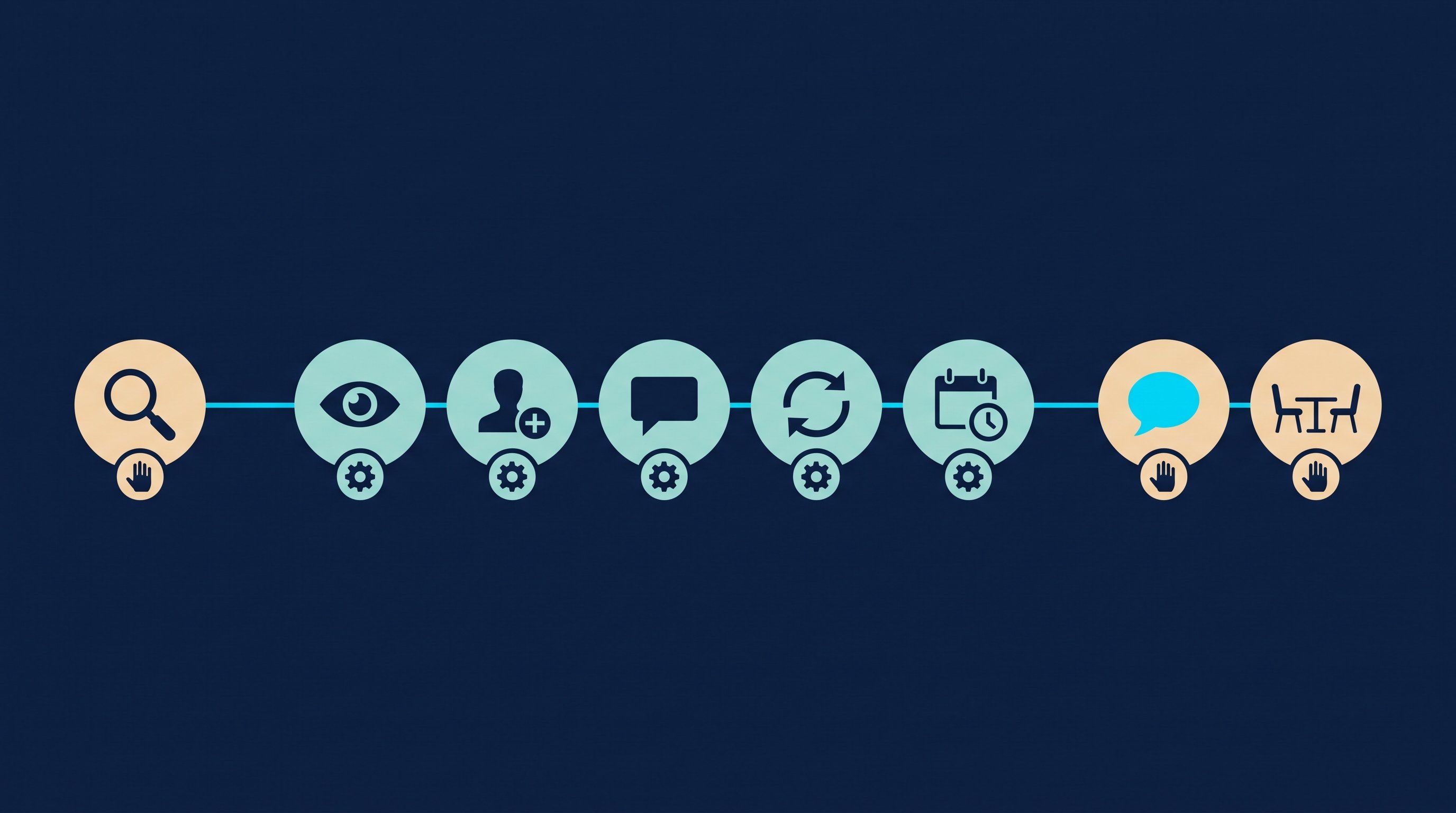
Steps 2 to 6 are the same for every contact. Steps 1 and 7 are where your advice comes in.
How it works with CompLeadly
CompLeadly is a desktop app that runs on your computer. It takes over steps 2 to 6. Audience, messages and conversations stay with you.
- Audience (you, the software reads it): Your LinkedIn people search or Sales Navigator search becomes an audience in CompLeadly, and so does a saved search. You can also set up your followers and the people who viewed your profile as an audience; for profile viewers you need a LinkedIn Premium account. Here's how: Using profile visitors and followers as target audiences.
- Connecting (software): Profile visit and connection request, with or without a note, as you set it up.
- First message (software): After acceptance, your first message goes out, but only if the chat is still empty.
- Follow-ups (software): A follow-up only goes out once your last message has gone unanswered for as many days as you set. If the contact replies, the automatic messages stop.
- Schedule (software): With the calendar, you decide when the steps run. It's not a booking calendar. Your contact books the meeting through a booking link you put in your message, for example from Calendly or HubSpot Meetings.
- Replies (you): With Smart Chat, your LinkedIn messages sit in CompLeadly. You filter for unanswered chats, create categories such as "Retirement" or "Business clients", and assign chats to a colleague, who doesn't need access to your LinkedIn profile for that. Anyone who doesn't want further messages goes on the block list.
Connecting, first message and follow-up already run in the free version, with daily limits such as 2 connection requests, 10 messages to 1st-degree contacts and 1 follow-up per day, each step started on its own. Whole workflows and schedules start with Basic at $29.99 per month excl. VAT, or $24.99 on the yearly plan. Premium costs $59.99 per month excl. VAT, or $49.99 on the yearly plan. Smart Chat is a separate package: Smart Chat Premium costs $49.99 per month excl. VAT, or $41.66 on the yearly plan. You start with a 10-day trial, no payment details. All packages are on the pricing page, as of 12 October 2026.
Time calculation
The table works out the clicking for 100 contacts you send requests to, up to the booked introductory meeting.
| Step | Minutes by hand | Minutes with CompLeadly | Time saved |
|---|---|---|---|
| Open and follow profile | 1.5 | 0 | 1.5 |
| Read profile, find a reason, send connection request | 3 | 0 | 3 |
| Withdraw pending request | 0.2 | 0 | 0.2 |
| First message after acceptance (per accepted contact) | 1.5 | 0 | 1.5 |
| Follow-up without reply (per accepted contact) | 1.2 | 0 | 1.2 |
| Total for 100 contacts | 8 h 58 min | 0 min | 8 h 58 min |
| Per accepted contact | 21.5 min | 0 min | 21.5 min |
| Per booked meeting | 7 h 10 min | 0 min | 7 h 10 min |
Example calculation · Acceptance rate 25%, Booking rate 5%
Example calculation. Assumptions: minutes per step are the measured execution time of the software from two CompLeadly accounts in 2026 (average per action: following 90 seconds, visiting and connecting 180, first message 91, follow-up 69, withdrawing 12), a lower bound for manual work. Acceptance rate of 25 percent as the middle of the range of 13 to 37 percent measured across the audiences of these accounts. Meeting rate of about 5 percent of accepted contacts, our own estimate, not counted. Withdrawing is calculated for all contacted people and the follow-up for all accepted contacts, so both are an upper bound. With CompLeadly, 0 minutes per contact, because the software carries out these steps; the one-time setup of audience and messages isn't included. Replying in the chat, preparation and the meeting itself take the same time on both routes and aren't included.
We haven't measured a separate acceptance rate for financial advisors and brokers. How much the rate varies is shown by another audience: requests to coaches were accepted at 12.6 to 31.8 percent in these accounts, depending on the region. Plug in your own numbers once you have them, and compare two messages on the same audience.
Seven hours of clicking per introductory meeting is a full day of advising. You're better off spending it in the meeting itself.
Five messages for financial advisors and brokers
The examples come from a fictional broker who works with dental practices. The names are made up. The tone is formal, because doctors and business owners often expect that when the topic is money. If you already know each other, write more casually. The messages are conversation starters. Whether your profession requires additional information in your messages is covered in the section on advertising and data protection further down.
A note on a connection request can be up to 200 characters long, and without Premium you can add a note to up to three requests per month (LinkedIn Help, personalize invitations to connect, accessed on 12 October 2026). Whether to send a note at all is covered in LinkedIn connections with or without a message.
1. Note to a practice owner. Common ground, no product.
Hello Dr. Bennett, I work with dental practices in the region and read a lot from practice owners here. I'd be glad to connect with you.
2. Note to a managing director. Again without an offer. The note explains the request, nothing more.
Hello Mr. Walsh, we both work in the local trades sector, you as a business owner, me as an advisor to trade businesses. Glad to connect.
3. First message after acceptance. A question only this person can answer.
Thank you for connecting, Dr. Bennett. A question out of curiosity: did you found your practice or take it over? With takeovers, I often see that protecting the team only becomes a topic years later.
4. Follow-up without a reply. New content instead of a reminder.
Dr. Bennett, I've written a short checklist of five points practice owners should review in the first year after a takeover. Shall I send it to you? If the topic doesn't fit right now, just let me know and I won't get in touch again.
5. Meeting suggestion after a reply. Only once the person shows interest. You write this message yourself, because the automatic follow-ups stopped with the first reply.
Thank you for getting back to me. Let's talk for 20 minutes, without documents and without an offer, just about your situation. You can pick a time here: [booking link]
How the conversation itself goes, with questions for financial advisors and brokers, is in Discovery call: book it, prepare it, run it. More wording for following up is in Follow-up templates, and tips for the moment you suggest a meeting are in Why many LinkedIn meetings fall through and how to book them anyway.
Advertising and data protection
Financial advisors, brokers and insurance agents are subject to their own rules on advertising and data protection, and these differ from country to country. Before you send the first message, check with your professional association, your regulator or a lawyer what applies to you and which details your messages need to include.
Recruiting and job hunting: the same route, different conversations
Recruiting: Brokerages and financial sales firms look for new talent and for colleagues who bring their own client book. The route is the same: search by role and region, connect, first message, follow-up, until someone replies. With your own Recruiter license, a Recruiter search, a pipeline or a saved Recruiter search also becomes an audience in CompLeadly. Wording is in LinkedIn recruiting messages, and the process is shown on the page for recruiters.
Job hunting: If you're an advisor who wants to change employers or move from a bank to a brokerage, use people search to find the owners and team leads of the firms you want to work for. Profile visit, connecting, first message and follow-up already run in the free version within its daily limits; for twenty target firms, that's enough. What to avoid along the way is in LinkedIn mistakes when job hunting.
FAQ: insurance agent leads
How do I win clients on LinkedIn as a financial advisor?
Choose one audience, such as owners of mid-sized companies or doctors with their own practice, and make your profile clear to exactly these people. Connect with a fixed number of them every week, ask a genuine question after they accept and only offer a short conversation once the person replies.
Should I buy insurance agent leads or win contacts myself?
Bought leads fill your calendar quickly, but they have no connection to you. Contacts you win on LinkedIn yourself know your profile, and you decide what happens with the contact. Our recommendation: if you buy, build your own stream from LinkedIn at the same time and compare both routes with the same calculation.
Who should I approach on LinkedIn as a financial advisor?
People who list their role on LinkedIn and have a topic you solve: owners and managing directors, self-employed professionals with a practice or firm, and high-earning executives. Start with one of these groups.
How much time does LinkedIn prospecting take a financial advisor by hand?
In our example calculation, about 9 hours of clicking for 100 contacts you send requests to, and about 7 hours per introductory meeting. The minutes are measured execution times of the software from two CompLeadly accounts, and the meeting rate is our own estimate.
Does CompLeadly book meetings for me?
No. CompLeadly takes over profile visits, connecting, the first message and follow-ups, and schedules when these steps run. Your contact books the meeting through a booking link you put in your message, for example from Calendly or HubSpot Meetings.
How much does CompLeadly cost?
Connecting, first message and follow-up are available with daily limits in the free version. Whole workflows and schedules start at $29.99 per month excl. VAT (Basic), and Smart Chat is a separate package. You can test it for 10 days without payment details.