
In short: An appointment setter turns strangers into sales meetings. You can hire someone for it, pay an agency, or set the meetings yourself and hand the clicking to software. On LinkedIn, that clicking takes about seven hours per meeting by hand. Here are the costs of every route with sources, a setter's day in minutes, five messages and what helps against no-shows.
As of: October 2026.
If you sell coaching, consulting or software, you know the bottleneck. You can run the sales call. What's missing are the calls. In the coaching market, the answer is often an appointment setter who fills the calendar. Before you spend money on that, take a look at the work a setter really does on LinkedIn. A large part of it is busywork, and you can hand it off without hiring anyone. Ready-made copy for the meeting request itself is in Meeting request email: templates for email and LinkedIn. This post is about the role and the process behind it.
What an appointment setter does
An appointment setter books meetings for someone else. They don't sell. Their result is a call in the seller's calendar, with a person who fits the offer.
On LinkedIn, the work has six steps:
- Find contacts: suitable profiles through the people search or Sales Navigator.
- Reach out: visit the profile, connect, write a first message after acceptance.
- Follow up: anyone who doesn't reply gets a second message after a few days.
- Qualify: clarify in the chat whether there's a problem, whether the person decides and whether the timing fits.
- Set the meeting: propose two times or send the booking link, confirm, remind.
- Hand over: tell the seller who's coming and what it's about.
In the coaching market, the seller is usually called the closer. The setter fills the calendar, the closer runs the sales call. In B2B sales, the SDR does the same work and passes the meetings to the account executive. What that looks like in software sales is shown in SaaS sales on LinkedIn.
Steps 1 to 3 are the same for every contact. Steps 4 to 6 need a feel for people. That line is where you find the answer to what you can hand off.

Hire a setter, use an agency or automate it yourself
There are four routes to a full calendar. They differ less in the result than in what you pay and what stays with you.
Route | What it costs | What stays with you |
|---|---|---|
Hire a setter (Germany) | on average EUR 49,392 gross a year, so about EUR 4,100 a month, plus employer costs | onboarding, management, copy, sales call |
Freelancer per appointment (Germany) | example from a job ad for B2B appointment setting by phone: EUR 45 per confirmed appointment | checking the quality of the meetings, sales call |
Agency | overview from a US provider: USD 75 to 500 per appointment or USD 2,000 to 4,500 a month on a subscription | sales call |
Yourself with software | CompLeadly Basic $29.99 per month excl. VAT, $24.99 on the yearly plan | replies, meeting, sales call |
The numbers in detail: the average salary for Germany comes from Indeed Germany and is based on only five salary reports. The range runs from EUR 32,998 to EUR 73,932 a year. The EUR 45 per appointment comes from a single job ad on the German platform Auftragsbank from April 2026, and is not a market price. The agency prices are given by the US provider SalesBread in dollars for the US market. We accessed all three pages on 8 October 2026.
With a freelancer paid per appointment, you only pay for results. Still, read carefully what counts as an appointment: confirmed, held or qualified. That decides whether you pay for empty calendar entries.
We offer the agency route too. With Done for you, our team runs CompLeadly for you, for $1,499 per month excl. VAT plus a one-time setup fee of $1,999. A Sales Navigator is required. If you want us to take over the chats and book meetings as well, the chat takeover & appointment setting add-on adds another $1,499 per month. If you'd rather learn yourself how chats turn into meetings, LinkedIn coaching is the right fit: six months, one hour every week on your real numbers.
Yourself with software is the cheapest route and the one with the most control. You stay your own setter, just without the clicking. Smart Chat for your replies is available as a separate package from $29.99 per month, or from $24.99 on the yearly plan. All prices are net and listed on the pricing page, as of 8 October 2026.
Our recommendation: as long as you run the sales call yourself, set the meetings yourself too. In the chat, you learn which questions come up and which objections. A setter pays off once your calendar is full and replies sit unanswered because you're on a call.

By hand: a setter's day
This is what a day looks like when a setter sends 40 new requests and clicks everything by hand. The minutes come from two CompLeadly accounts in 2026. They are the measured execution time of the software per action and so a lower bound for manual work: the software pauses like a human when opening, reading and typing.
- Read yesterday's replies, qualify, propose meetings: not measured. This is the most important hour of the day.
- Open and follow 40 profiles: about 60 minutes.
- Read 40 profiles, find a reason, send the connection request: about 120 minutes.
- Check about 10 new contacts and write them the first message: about 15 minutes.
- About 10 follow-ups to contacts from previous days without a reply: about 12 minutes.
- Withdraw 40 old pending requests: about 8 minutes.
- Confirm meetings, remind the day before, hand over to the closer: not measured.
That's about three and a half hours of pure clicking before the setter has read a single reply. At a 25 percent acceptance rate, that makes about ten new contacts a day. At about 5 percent meetings from accepted contacts, that's roughly one meeting every two days.
Steps 2 to 6 are the same for every contact. Steps 1 and 7 make the difference between a good setter and an expensive one. If you spend half the day clicking, only the rest is left for those two steps.
How it works with CompLeadly
CompLeadly is a desktop app that runs on your computer. It takes over steps 2 to 6. From the reply on, it's your turn, or your setter's.
- Target audience (you): A LinkedIn people search, a Sales Navigator search, a saved Sales Navigator search or an imported Excel list becomes the target audience.
- Profile visit and connecting (software): with or without a note, with a daily value per step.
- Opener (software): After acceptance, a first message goes out, with placeholders like the first name, but only if the chat is still empty.
- Follow-ups (software): A follow-up only goes out once your last message has gone unanswered for as many days as you set. If the contact replies, the automatic messages stop.
- Replies (you or your setter): With Smart Chat, your LinkedIn messages are in CompLeadly. You filter for unanswered chats, create categories and assign chats to colleagues. They don't need access to your LinkedIn profile for that. So if you employ a setter, you give them the chats, not the password.
- Meeting (you): CompLeadly doesn't book meetings. The app's calendar plans when your workflows run. You put your booking link, for example from Calendly or HubSpot Meetings, into a message or a follow-up in the sequence.
Individual steps like connecting, opener and follow-up already run in the free version with basic features and daily limits, for example 2 connection requests, 1 opener and 1 follow-up per day, each step started individually. Full workflows and schedules start with Basic. You start with a 10-day trial with all features. How founders and sales teams work with it is shown on the pages for founders and sales teams.
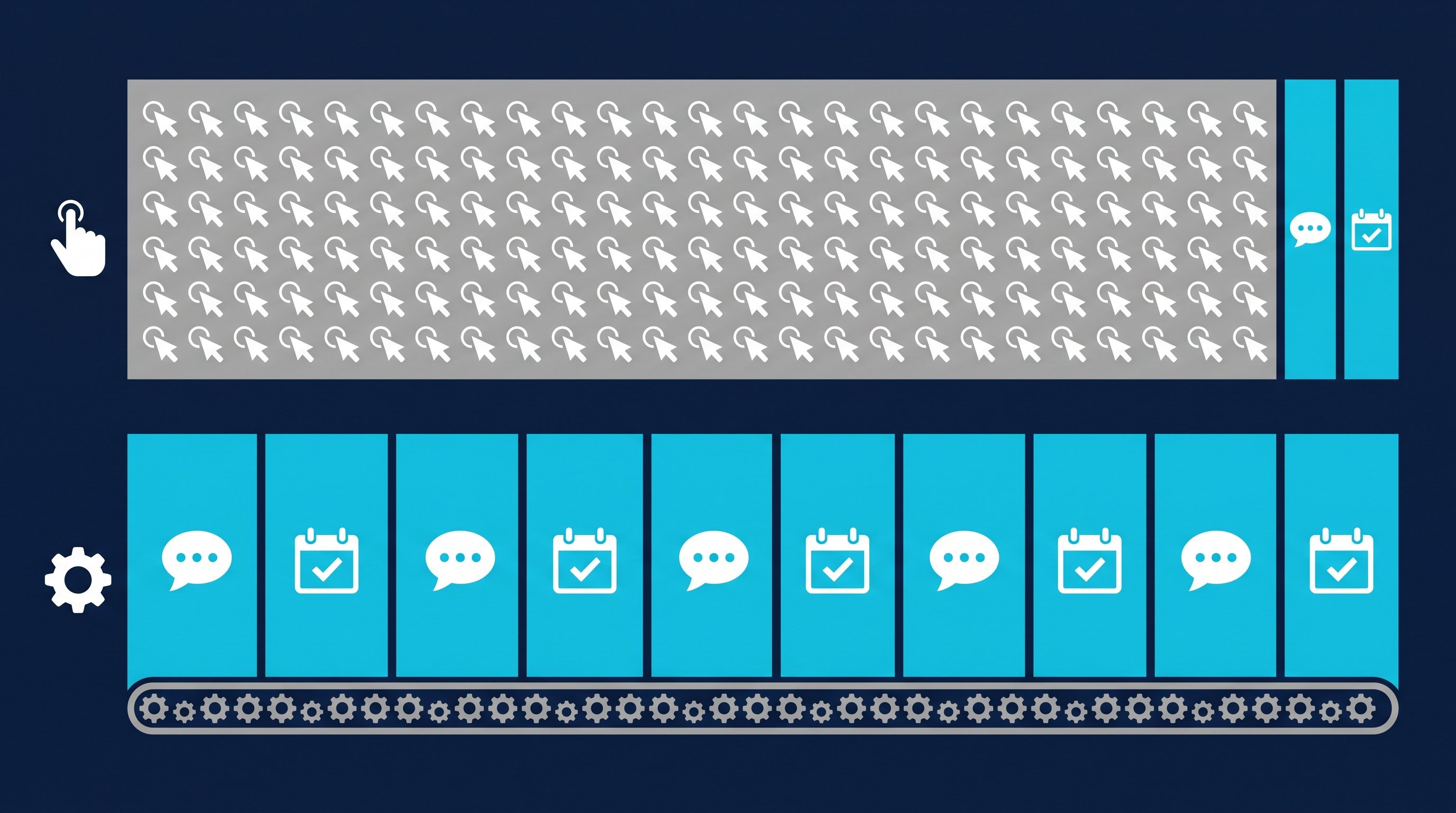
Time calculation
The table works through the clicking for 100 contacts you send requests to, up to the booked meeting.
| Step | Minutes by hand | Minutes with CompLeadly | Time saved |
|---|---|---|---|
| Open and follow the profile | 1.5 | 0 | 1.5 |
| Read the profile, find a reason, send the connection request | 3 | 0 | 3 |
| Withdraw the pending request | 0.2 | 0 | 0.2 |
| First message after acceptance (per accepted contact) | 1.5 | 0 | 1.5 |
| Follow-up without a reply (per accepted contact) | 1.2 | 0 | 1.2 |
| Total for 100 contacts | 8 h 58 min | 0 min | 8 h 58 min |
| Per accepted contact | 21.5 min | 0 min | 21.5 min |
| Per booked meeting | 7 h 10 min | 0 min | 7 h 10 min |
Example calculation · Acceptance rate 25%, Booking rate 5%
Sample calculation. Assumptions: minutes per step are the measured execution time of the software from two CompLeadly accounts in 2026 (average per action: follow 90 seconds, visit and connect 180, first message 91, follow-up 69, withdraw 12), a lower bound for manual work. Acceptance rate of 25 percent as the midpoint of the 13 to 37 percent range measured across the audiences of these accounts. Meeting rate of about 5 percent of accepted contacts, our own estimate, not counted. Withdrawing is applied to all contacted prospects and the follow-up to all accepted contacts, so both are upper bounds. With CompLeadly, 0 minutes per contact because the software runs these steps; the one-time setup of audience and messages is not included. Replies, proposing a time and the sales call take the same time either way and are not included.
The rate varies with the audience. In these accounts, requests to coaches were accepted at 12.6 to 31.8 percent depending on the region, requests to software and technology decision makers at 28.8 percent. Plug in your own numbers as soon as you have them.
For an in-house setter, that means about seven hours of clicking per meeting before any qualifying happens. That's almost a full working day for every meeting, paid at full salary. Why this work is so expensive, even when you do it yourself, is in You pay $10,000 per month for an intern.
5 messages that lead to meetings
Every stage of the setter's path needs a different message. Here is a sequence to a managing director, written by a business coach. The names are made up. The messages use first names, as many people do on LinkedIn.
1. Connection note. A reason, who you are, no offer.
Hi Markus, you just opened your second branch in Regensburg. I support managing directors in building their second management level and would be glad to connect.
The note can be up to 200 characters, and without Premium you can add a note to only up to three requests per month (LinkedIn Help, Personalize invitations to connect, accessed on 8 October 2026). Whether to send a note at all is covered in LinkedIn connections with or without a message.
2. Opener after acceptance. A real question that only this person can answer.
Thanks for connecting, Markus. A question out of curiosity: who runs the new branch day to day, you or someone from the team?
3. Follow-up without a reply. Not "Did you see my message?", but an observation that invites a reply.
Markus, just following up. Many managing directors notice with a second location that they suddenly need to be reachable in two places. Is that the case for you too, or is it running smoothly?
4. Qualifying after the reply. Ask first, then propose a meeting. Two questions are enough.
I hear that a lot. Can I ask two questions so I'm not talking into the blue? How many managers report to you today, and is there already someone who's meant to take over the branch?
5. Meeting with handover. Topic, length, two times and the name of the person who'll be on the call.
Thanks, that's a clear picture. Let's talk for 20 minutes on video. Julia Sommer from my team will join, she has guided handovers like this many times. Tuesday at 10 or Thursday at 4? I'll send you the invite then.
Messages 1 to 3 are similar for every contact and can run in a sequence. You write messages 4 and 5 by hand, because they respond to a reply. Confirmation, rescheduling and reminder as ready-made templates are in Meeting request email: templates for email and LinkedIn.
Preventing no-shows
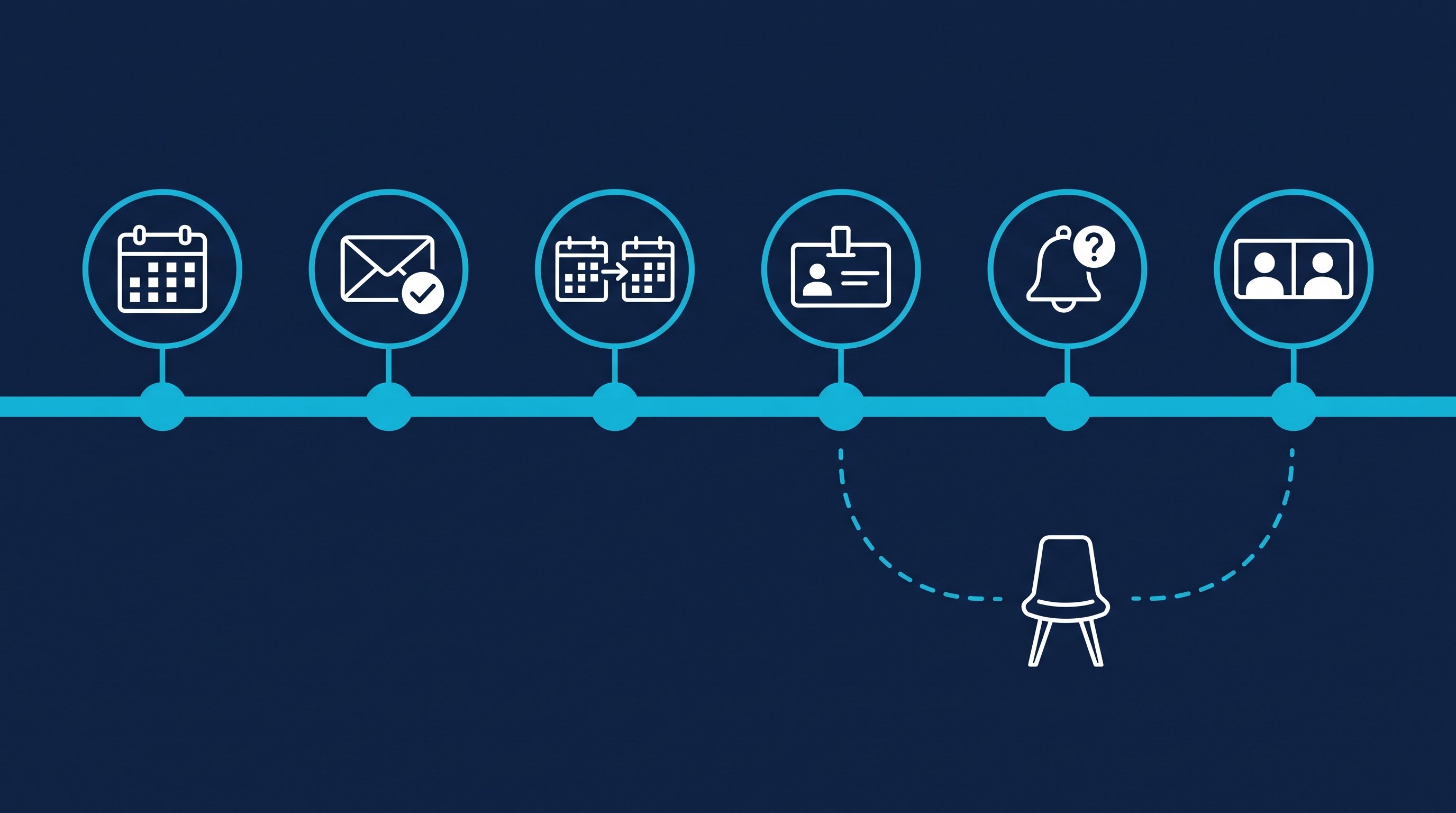
A meeting in the calendar isn't a conversation yet. A setter paid per booked meeting is the last to notice. Whoever sells notices right away. Six rules that make fewer meetings fall through:
- Book the meeting soon. A call in three days is still fresh in mind. One in three weeks is an unfamiliar line in the calendar by then.
- Confirm in writing. Date, time, length, goal and link in one message. Email 6 in the meeting request templates works for this.
- Send a calendar invite. Ask for the email address in the chat so the meeting is in your contact's calendar and not just in yours. Some ask for the phone number right away. Why is explained in Why so many LinkedIn meetings fall through.
- Say who's coming. If someone else runs the call, name them in the chat already. Otherwise your contact wonders who they're actually talking to.
- Remind the day before, with a question. For example: "Our call is tomorrow at 10. Is there anything I should look at beforehand?" A question is more likely to get a reply than a plain reminder, and the reply is your confirmation. More wording is in the follow-up templates under "Reminder about an upcoming meeting".
- No-show? Follow up the same day. Friendly, without blame, with two new times: "Too bad it didn't work out today. Does Wednesday at 9 or Friday at 2 suit you better?"
You write the reminders yourself, because the automatic follow-ups in the sequence stopped with the first reply. In Smart Chat, you create categories for this, for example "meeting booked" and "no-show". That way you see in the morning who you need to remind today. How the call itself works when everyone shows up is in Discovery call: how to book, prepare and run it.
Recruiting and job hunting: meetings with candidates and hiring managers
Recruiting: In recruiting, the setter is called a sourcer. They reach out to candidates and set the introductory call for recruiters or hiring managers. With your own Recruiter license, CompLeadly turns a Recruiter search, a pipeline or a saved search into the target audience. Connecting, opener and follow-ups run until the candidate replies. You run the conversation about the move yourself. Wording for every phase is in LinkedIn recruiting messages, the process is shown on the page for recruiters.
Job hunting: Many people look for a job as an appointment setter on LinkedIn. The best application for it is a work sample: book meetings for yourself with the companies you want to work for. A people search for heads of sales and founders at your target companies becomes the target audience. Profile visit, connecting, opener and follow-up already run in the free version with its daily limits. For twenty target companies, that's enough. What to avoid along the way is in 10 common LinkedIn mistakes when job hunting.
FAQ: appointment setting
What does an appointment setter do?
An appointment setter books sales meetings for someone else. They look for suitable contacts, reach out, follow up, clarify the need in the chat and set the meeting. A closer then runs the sales call, in B2B an account executive.
How much does an appointment setter earn in Germany?
According to Indeed Germany, EUR 49,392 gross a year on average, with a range of EUR 32,998 to EUR 73,932 (page as of April 2026). The figure is based on only five salary reports. Freelancers are often paid per appointment. A German job ad for B2B appointment setting by phone, for example, offered EUR 45 per confirmed appointment.
What is the difference between a setter and a closer?
The setter fills the calendar, the closer sells. The setter clarifies in the chat whether a call makes sense and hands the meeting over. The closer runs the call and closes the deal.
Is an appointment setting agency worth it?
If your offer sells, your audience is clear and you're only short on time, yes. As long as you're still learning which questions prospects ask, better set the meetings yourself and hand off only the clicking.
How do I prevent no-shows?
Book the meeting soon, confirm it in writing with the goal and the link, send a calendar invite, say beforehand who'll be on the call and remind the day before with a question. If someone doesn't show up, follow up the same day with two new times.
Does CompLeadly book meetings?
The software doesn't. On LinkedIn, CompLeadly takes over the steps up to the reply: profile visit, connecting, opener and follow-ups. Your contact books the meeting through your own booking link, for example from Calendly or HubSpot Meetings. If you also want to hand off chats and booking, book Done for you with us, with the chat takeover & appointment setting add-on.